Claude for Marketing Operations and Analytics: The Workflows We Run Every Week
One context per client, calls turned into phased plans, Claude Code brains wired to Fathom and ClickUp, and the edits we make to Claude's copy.
 Ray GillespieCo-Founder & COO
Published 9 min read
On this page
Key takeaways
- Stop opening new chats. Give each client one maintained context: instructions, approved docs and a dated record of every call.
- Keep context per client, not per topic. A shared "copy" project blends voices and moves one client's data into another's work.
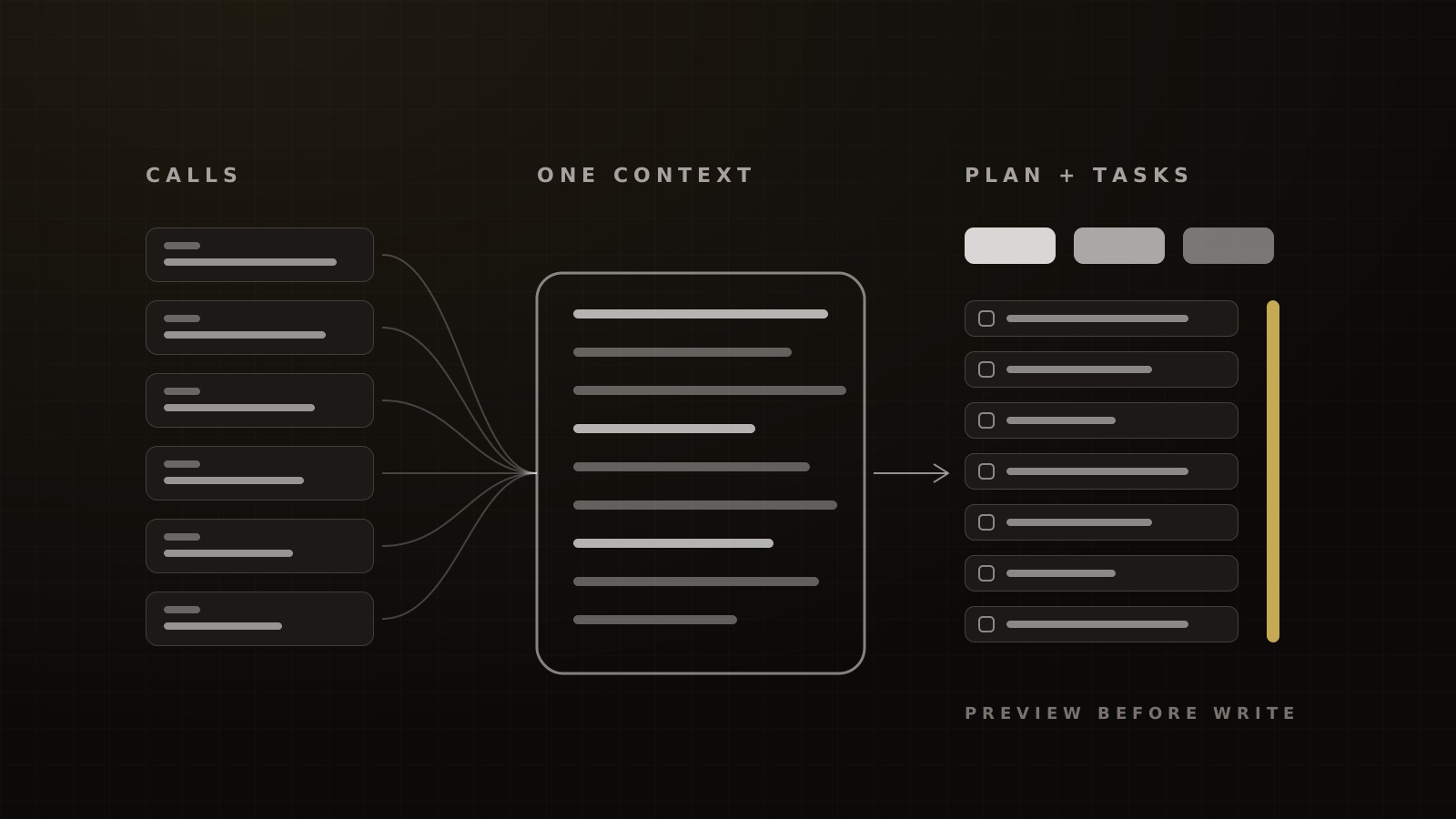
- One call can become a phased build plan in under 30 minutes, including review, when the transcript lands in a context that already knows the client.
- Claude Code turns a folder into a "brain": it reads the meeting, drafts the tasks, shows a preview and writes to ClickUp only after you approve.
- Edit Claude's copy habits by saying what you want, not what you don't. Anthropic's own guidance says the same.[1]
Most teams paying for Claude use it as a chat box. Open a window, paste something in, get an answer, close the window. The next chat starts from nothing.
We run it the other way. Every client gets one maintained context, and every recurring job runs against it. Then one call becomes a phased plan with owners and dependencies, the plan becomes tasks, and Friday's analysis already knows what Monday's call decided.
Here is the weekly cadence, the setup behind it and the guardrails. For how this fits the rest of our stack, start with AI marketing operations.
Claude as a chat box vs Claude as an operating system
Usage is already moving from asking to delegating. In Anthropic's own data, the share of Claude.ai conversations classed as directive, where the user hands over a whole task, rose from 27% to 39% between late 2024 and 2025.[2] In a sample of 1 million API transcripts from August 2025, 77% showed automation patterns, against 12% augmentation, and 4.7% were creating marketing materials.[2]
Delegation only works when the model knows enough to be trusted with the job. That's the difference between a chat box and an operating system: not the model, the context around it.
In our experience, running Claude this way saves our ops team 15 to 20 hours a week across call notes, task plans and reporting. HubSpot's 2026 survey found about a third of marketing teams self-reporting 10 to 14 hours saved a week, and another third 15 or more.[3]
One client, one maintained context
The Project
A Claude Project is a self-contained workspace with its own chat history, knowledge base and instructions. On paid plans it switches to retrieval mode to expand capacity up to 10x, and Team and Enterprise plans can share Projects with view or edit access.[4]
Each client Project has three parts:
- Instructions. Who the client is, the offer, the audience, the voice, what we're building and what's off-limits.
- Approved background. Offer docs, brand guidelines, the funnel map and the results the client has shared with us.
- A dated call log. Every transcript, named with the date, in order.
Context size is no longer the limit it was. Claude's paid plans now run a 1M-token context window on the current top models.[5] Anthropic puts 1M tokens at roughly 555,000 words.[6] That's months of weekly calls in one place.
Why per-client beats per-topic
The tempting setup is one Project per job: copy, ads, reporting. It fails in two ways. The copy Project blends five clients' voices into one. And it carries one client's data into another client's work, which is a confidentiality problem before it's a quality problem.
One client, one context. Everything about that client goes in. Nothing about anyone else does.
The sync step we run
A Project doesn't pull in your calls by itself. Syncing transcripts is a step someone owns. We pull each transcript from Fathom after the call and add it to the client's log the same day.
Fathom's MCP integration works with Claude and can only reach meetings the user already has permission to view.[7] That's the right limit. The model never sees more than the person running it.
Monday: one call into a phased plan
The discovery or strategy call is the richest input a project gets. On Monday, we turn last week's calls into plans.
The prompt structure
Anthropic's guidance for long inputs is to put the documents at the top and the question at the end. It says this can improve response quality by up to 30% in its own tests, especially with several documents, and it recommends asking Claude to quote the relevant parts first.[1] That's a vendor test with no published method, but the structure costs nothing.
Our planning prompt follows it:
[Transcripts and approved docs are already in the Project.]

Using the call on 2026-09-28 and everything earlier in this Project:
1. Quote the decisions made on this call, with who made them.
2. List anything that contradicts an earlier call, with both quotes.
3. Draft a phased build plan: phases, tasks, owner, dependency, open question.
4. List what we still need from the client before phase one can start.
Write in plain paragraphs and tables. No summary of the call itself.
Step two is the one most teams skip. Clients change their minds between calls. A context that holds every call can catch the change before you build the old version.
In our experience, this gets us a first-draft phased plan from one discovery call in under 30 minutes, including the human review. The nearest public reference is a vendor anecdote: Anthropic says its own customer marketing team drafts case studies in 30 minutes instead of 2.5 hours.[8]
Output as a document the client can read
Claude can create Word, Excel, PowerPoint and PDF files on every plan.[9] We send the plan as a .docx, not a chat export. Clients read documents. They don't read chat logs.
The same help article carries a warning worth repeating: instructions hidden in a file or website could trick Claude into leaking data.[9] Only feed it files you trust.
"How else can I improve this?"
After the first draft, the most useful prompt we know is the shortest one: "How else can I improve this?" With a full context behind it, Claude finds the missing dependency, the phase that should go first or the question nobody asked on the call. Run it once or twice. After that, the suggestions get thin, and that's your signal to stop.
Claude Code brains
Projects cover most client work. Claude Code covers the standing jobs.
Folder, instructions, skills
Claude Code reads a working folder, edits files and runs commands. It connects to outside tools through MCP, reads a CLAUDE.md instructions file at the start of every session, and supports skills, hooks, subagents and scheduled routines.[10]
We use that to build "brains": one folder per area of the business.
- A marketing brain, trained on sources we chose: our playbooks, our creative variables and the frameworks we credit, such as Hormozi's and Brunson's.
- An operations brain, wired to the call recorder, the task manager and time tracking.
Each folder is Hormozi's Document, Demonstrate, Duplicate in file form. He describes training people by writing down exactly how a task is done, showing it, then having them do it while you fix the checklist. The CLAUDE.md and the skills are the written-down part, and both people and models read them.
A standing skill is just a recurring job written down well. Our sales-call audit is one: our target is every recorded sales call scored within 24 hours, with a weekly rep scorecard. We haven't found an industry benchmark for audit coverage, so that's our standard, not a norm. The build is in using AI to audit every sales call.
Read, preview, approve, write
The operations brain runs one loop every day: "What happened in this meeting? Take the action items and add them to ClickUp."
Framework
The read, preview, approve, write loop
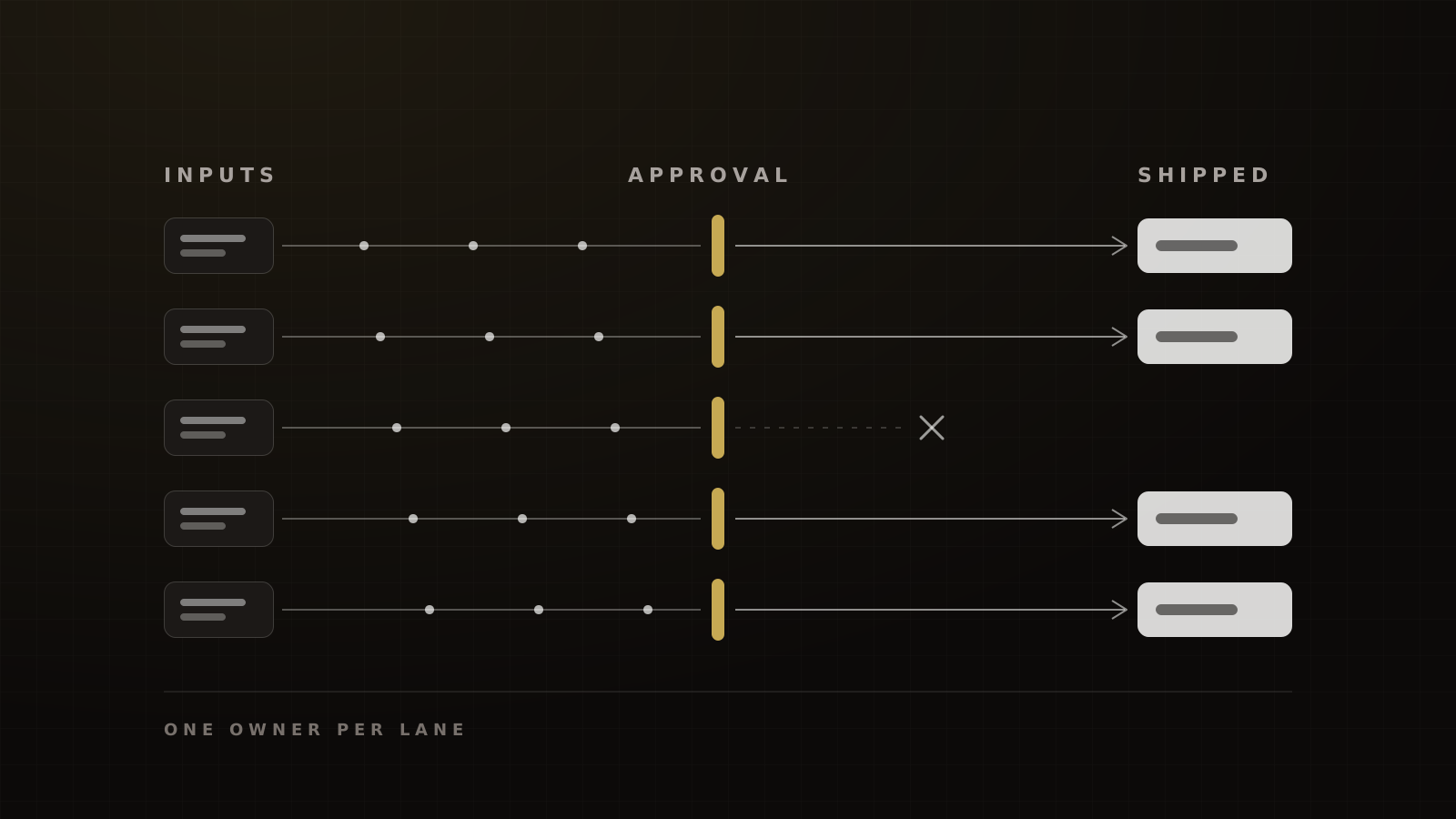
- Read. Claude pulls the meeting through Fathom's connector, limited to meetings you can already view.
- Draft. It writes the action items as tasks: title, owner, due date, dependency, the line from the transcript that created it.
- Preview. It shows the full list before touching ClickUp.
- Approve. A person edits, cuts or approves.
- Write. Only then does it create the tasks.
Victory's operating rule for any Claude connection that can write to a client system.
The preview step isn't caution for its own sake. ClickUp's official MCP server can execute actions as well as read data, and it works on every plan with daily caps that run from 100 calls on Free to 2,500 on Business Plus without the AI add-on.[11] A loop that writes without review can fill a list with duplicates and burn the day's quota before lunch.
Set the permission in Claude, too. Connectors inherit the user's access in the source tool, and Team and Enterprise owners can set each tool to Always allow, Needs approval or Blocked.[12] We set every write to Needs approval.
Time entries for plan vs actual
The same brain reads time tracking. Each week it compares hours logged against the hours the plan assumed and flags the phases running over. That's how a plan stays honest after the client signs it.
Friday: the analytics pass
Friday is for numbers. Three jobs run against each client's context:
- CSV clean-up. Claude splits, merges and dedupes exports from the CRM and ad platforms, and documents what it changed.
- Funnel behaviour. We pull Microsoft Clarity's dashboard metrics for each funnel step and ask Claude for a fix list ranked by drop-off and friction. Contentsquare's 2026 benchmark found 35.2% of sessions affected by at least one frustration signal.[13] After a fix pass, our target is 25% to 30% on the step we fixed. The detection rules differ, so treat that as a direction. The method is in Microsoft Clarity + Claude.
- Hours vs plan. The week's time entries against the phase budget.
None of this replaces attribution. It tells you where to look. The decisions still come from the numbers in the CRM and the ad account.
Fixing Claude's copy habits
In our experience, Claude's default copy has two tells: runs of short, two- and three-word sentences, and em dashes. How often a model uses em dashes varies by model; an independent analysis of 100,000 articles found Claude Opus 5 close to the human rate.[14] The staccato rhythm is the bigger problem in our work.
Telling it what not to do works poorly. Anthropic's guidance is to tell Claude what to do instead, for example to ask for "smoothly flowing prose paragraphs", and to make the prompt's own style match the output you want.[1]
Here's a paragraph we wrote to show the difference.
Before: "Your funnel leaks. Badly. Here's why. Weak offer. No follow-up. Slow calls. Fix it fast."
After: "Most funnels lose buyers in three places: an offer that doesn't make the next step obvious, follow-up that stops after one email, and sales calls booked too far out. Fix the follow-up first, because it's the cheapest of the three."
Our standing instruction says: "Write in full sentences of varied length. Use commas and full stops for pauses. Each paragraph makes one point and explains why it matters." It works better than a list of banned habits.
Guardrails
- Business plans only for client data. Anthropic's pricing page lists model training as opt-out on consumer plans and off by default on Team and Enterprise.[15] On Free, Pro and Max, if a user allows training, data can be kept for five years.[16] Commercial products, including the API, aren't used for training by default.[17]
- One context per client. No shared projects across clients.
- Write access behind approval. Every connector that can write is set to Needs approval.
- Redact first. Payment details and sensitive fields come out before upload.
The full list is in our AI data-safety checklist for agencies. For the choice between assistants, see Claude vs ChatGPT for marketing teams. For the CRM these tasks and workflows feed, see our GoHighLevel guide.
Want this cadence running inside your team? See how we build it.
Frequently asked questions
Sources
- 1.Prompting best practices. Anthropic (Claude Platform docs), viewed 2026-10-04.
- 2.Anthropic Economic Index report: September 2025. Anthropic, 2025-09-15.
- 3.2026 State of Marketing. HubSpot, 2026-04-10 (updated).
- 4.What are projects?. Anthropic (Claude Help Center), viewed 2026-10-04.
- 5.How large is the context window on paid Claude plans?. Anthropic (Claude Help Center), updated week of 2026-10-04.
- 6.Models overview. Anthropic (Claude Platform docs), viewed 2026-10-04.
- 7.Fathom MCP integration. Fathom Help Center, undated, viewed 2026-10-04.
- 8.How Anthropic uses Claude in marketing. Anthropic (Claude blog), 2026-01-26.
- 9.Create and edit files with Claude. Anthropic (Claude Help Center), 2026-08-06.
- 10.Claude Code overview. Anthropic (Claude Code docs), viewed 2026-10-04.
- 11.What is ClickUp MCP?. ClickUp Help Center, viewed 2026-10-04.
- 12.Use connectors to extend Claude's capabilities. Anthropic (Claude Help Center), updated week of 2026-10-04.
- 13.2026 Digital Experience Benchmark: frustration. Contentsquare, 2026-04-01.
- 14.AI tells: em dashes and other patterns by model. Graphite (Five Percent research), 2026-09-16.
- 15.Claude plans and pricing. Anthropic, viewed 2026-10-04.
- 16.Updates to our consumer terms. Anthropic, 2025-08-28.
- 17.Is my data used for model training?. Anthropic Privacy Center, 2026-08-18.
Written by
Ray GillespieCo-Founder & COO
Ray runs day-to-day operations across every Victory engagement, building the systems, automations and AI-powered workflows that hold the machine together. He has overseen operations behind more than $120M in revenue.
Part of the guide: AI Marketing Operations: How a Modern Agency Runs Funnels with Claude, Agents and Automation