GoHighLevel Setup Checklist for Coaching and Event Businesses: Pipelines, Tags, Custom Fields and the Automations We Install
The seven things we install in every coaching and event sub-account: booked-to-cash stages, fields, rep alerts, trigger links, reminders and city branches.
 Oussama El AlamiCTO & Lead Developer
Published 9 min read
On this page
- Before you build: plan, domain, phone, A2P
- 1. Pipeline stages that match booked-to-cash
- 2. Tags vs custom fields: carry lead source and qualification
- 3. Real-time rep alerts
- 4. Trigger links in every SMS
- 5. Reminder and no-show flows keyed to appointment status
- 6. One branched workflow for multi-city events
- 7. Snapshot the build (and what it won't copy)
- Why stage-based triggers beat time delays
Key takeaways
- Install seven things on day one: booked-to-cash stages, lead-source and qualification fields, real-time rep alerts, trigger links in every SMS, reminder and no-show flows, one branched workflow for multi-city events, and a snapshot.
- Put values in custom fields and events in tags. If you're making a tag per city or per source, it should be a field.
- Key reminders to the appointment and follow-ups to its status. A Pipeline Stage Changed trigger doesn't know which appointment it's reminding about.[1]
- Branch one workflow by city instead of cloning it. Copies drift.
- Test every branch by hand before launch. HighLevel's own Workflow AI Builder docs say AI can't test workflows.[2]
Install seven things on day one: pipeline stages that mirror booked-to-cash, custom fields that carry lead source and qualification, real-time rep alerts, trigger links in every SMS, reminder and no-show flows keyed to appointment status, one branched workflow for multi-city events instead of duplicates, and a snapshot of the finished build.
Trigger outcomes on stage and status changes, not on time delays, so the automation follows what actually happened. Below is the build list we work from on coaching, webinar and event accounts, item by item.
In our experience, this day-one build is live in five to seven business days and carries 12 to 20 workflows. Neither number has an industry benchmark we could find; treat them as our rule of thumb.
Before you build: plan, domain, phone, A2P
HighLevel plans run from $97 to $497 a month at list price.[4] Start a HighLevel account (paid link). The sub-account LaunchPad groups setup into foundational, marketing, sales, website and e-commerce steps, but doesn't mandate an order.[5] We do:
- Sending domain. Use a subdomain for marketing mail and authenticate it. Yahoo requires bulk senders to pass SPF and DKIM, publish DMARC of at least p=none, offer one-click unsubscribe and keep spam below 0.3%.[6] Microsoft requires SPF, DKIM and DMARC from domains sending more than 5,000 emails a day.[7] On the domains we manage, we keep Gmail's user-reported spam rate under 0.1%, Google's target, against its 0.3% ceiling.[8]
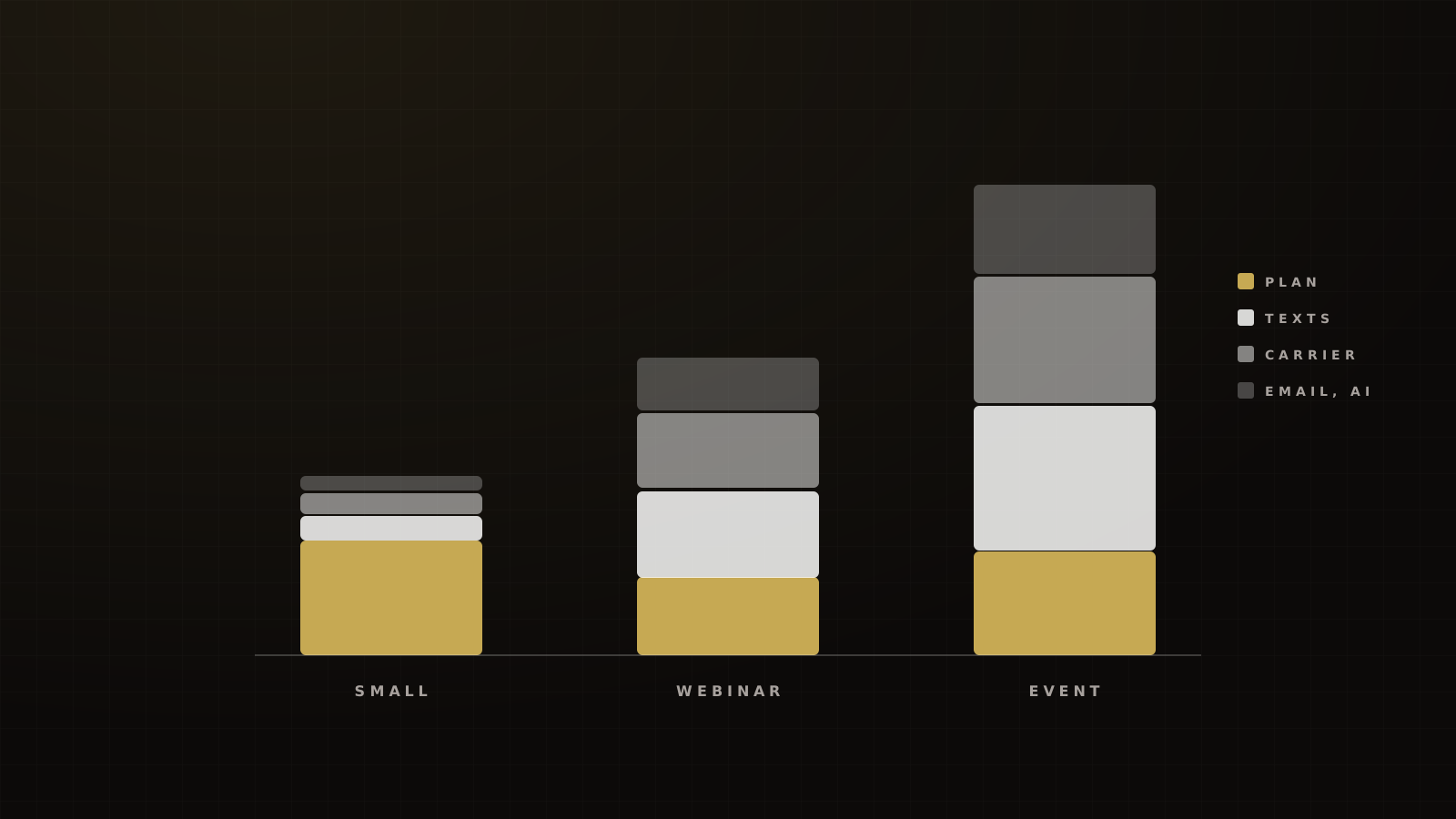
- Phone and A2P 10DLC. Register before you text. Through HighLevel, one-time registration is $22.50 or $64, and the monthly campaign fee is $1.50 to $10.[9] US SMS is $0.00747 per segment plus carrier fees.[10]
- Contact import. Dedupe and validate line type first. On lists texted for years without validation, we typically find only 40–45% of raw records end up as unique, SMS-capable numbers. We know of no public industry figure for this.
1. Pipeline stages that match booked-to-cash
HighLevel's pipeline docs recommend keeping stages simple.[11] Simple doesn't mean generic. For a coaching or event business, the stages should follow the money:
New lead → Contacted → Booked → Showed → Offer made → Won → Cash collected, with No-show and Lost as exits.
That's a coaching-specific version of Hormozi's lead stages (uncontacted, contacted, engaged, qualified, sold). Every stage is something a rep or a system can verify, which matters because the Pipeline Stage Changed trigger fires when an opportunity moves between stages.[12] If a stage is fuzzy, the automation behind it is too.
Two rules: a stage changes only when the event happened, and "Won" isn't "Cash collected". Payment plans and failed charges live between them.
2. Tags vs custom fields: carry lead source and qualification
Custom fields store data beyond the standard ones, on contacts or opportunities, organized in folders and usable in forms, workflows and pipelines.[13] Our split:
| Data | Store as | Why |
|---|---|---|
| Lead source, campaign, ad, rep QR code | Custom field | You report on the value |
| City, event date, ticket type | Custom field | Drives branching and personalization |
| Qualification answers and score | Custom field | Routes leads and feeds ad audiences |
| "What do you currently do for a living?" | Custom field | Reps read it before the call |
| Registered, attended, bought VIP | Tag | Yes-or-no event that triggers automation |
Our rule of thumb. A tag per value (city-dallas, city-austin) is a field in disguise.
HighLevel forms, calendars, chat widgets and order forms also store First and Latest attribution on every contact.[14] Keep your own source fields anyway: per-rep QR codes at live events, affiliate IDs and offline sources never reach a UTM.
Qualification fields should hold financial-fit answers and lawful third-party data, never anything you can't explain to the lead. We write scores to fields, route on them, and send the high-quality list back to Meta as an audience.
3. Real-time rep alerts
The Internal Notification action alerts the team by email, in-app, SMS or WhatsApp when something happens, such as a new lead or a high-value purchase.[15] We fire one on every booking and every purchase, and the text carries the buyer's name, phone, offer and source, so the rep can call without opening the CRM.
Speed is the reason. Our target is a median first dial under one hour in staffed hours, and 100% of leads dialed within 24 hours. The industry is slower: XANT's 2014 audit found a median of 3 hours 8 minutes to the first call,[16] and Chili Piper's 2022 test averaged 4 hours 50 minutes to respond to a demo request.[17]
One caution on the famous "21x" stat. The original InsideSales/MIT study measured the odds of qualifying a lead at 5 versus 30 minutes, and says it didn't address close ratios.[18] Speed gets you the conversation, not the sale.
Link this to your setter and closer structure so the alert goes to whoever owns the next step.
4. Trigger links in every SMS
Trigger links redirect a click inside SMS, email, DMs and WhatsApp, record it on the contact's timeline and can fire a workflow.[19] The Trigger Link Clicked trigger starts a workflow only for contacts who click.[20]
They fix two problems at once. Public URL shorteners can get an A2P campaign rejected outright (Twilio error 30892),[21] and a branded trigger link gives you a click signal you can act on.
Our rules: no raw link in the first text to a new contact, every link a trigger link on the brand's own domain, and the link sent in a separate text about a minute after the reminder. After moving accounts to drip sends, trigger links on their own domain and a freshly registered number, we see 95% or more of reminders delivered. The full post-mortem is in our carrier-filtering fix.
5. Reminder and no-show flows keyed to appointment status
Two triggers, two jobs:
- Reminders hang off the appointment. HighLevel says that with a Pipeline Stage Changed trigger it "won't know which appointment it is", so reminders need an appointment trigger.[1] The Wait action can then wait around the appointment time, for a reply, for a contact action or until conditions are met.[22]
- Follow-ups hang off the status. The Appointment Status trigger covers New, Confirmed, Cancelled, Showed, No-show and Invalid.[23] Showed goes to the offer sequence. No-show goes to a rebook sequence.
Appointment-triggered workflows always allow a contact to enter once per appointment, so a rebooked call gets its own reminders.[24] For webinars and live events, Set Event Start Date schedules reminders relative to the event.[25] One gap: HighLevel's check-in works for in-person events only, so webinar attendance needs another data source.[26]
Follow-up should branch on behavior (registered, attended, left early, no-show), the structure Russell Brunson popularized for automated webinars.
Reminders work. In a 2016 meta-analysis of healthcare trials, text reminders cut no-shows from 21% to 15%.[27] A 2026 randomized trial found that adding an automated call to text reminders took no-shows from 11.3% to 9.6%.[28] Both are clinics, not sales calls, so read them as direction only.
What we see on the funnels we run:
- Sales calls: booked high-ticket calls show at 82–88% when booked no more than about three days out. RevenueHero puts the B2B average no-show at 15.9%,[29] and Reply.io saw 23% no-shows for demos booked eight or more days ahead.[30]
- No-shows: we rebook 30–40% within 48 hours. We found no credible industry benchmark for that.
- Events: a free one-day in-person event run well shows 35–45% of registrants. A cold-traffic free evening webinar shows 25–35%, against Demio's 20% for Education Services.[31]
6. One branched workflow for multi-city events
A mess we often inherit is a folder of near-identical workflows: one per city, each with its own small edits. Fix a typo in one and the other eleven still have it.
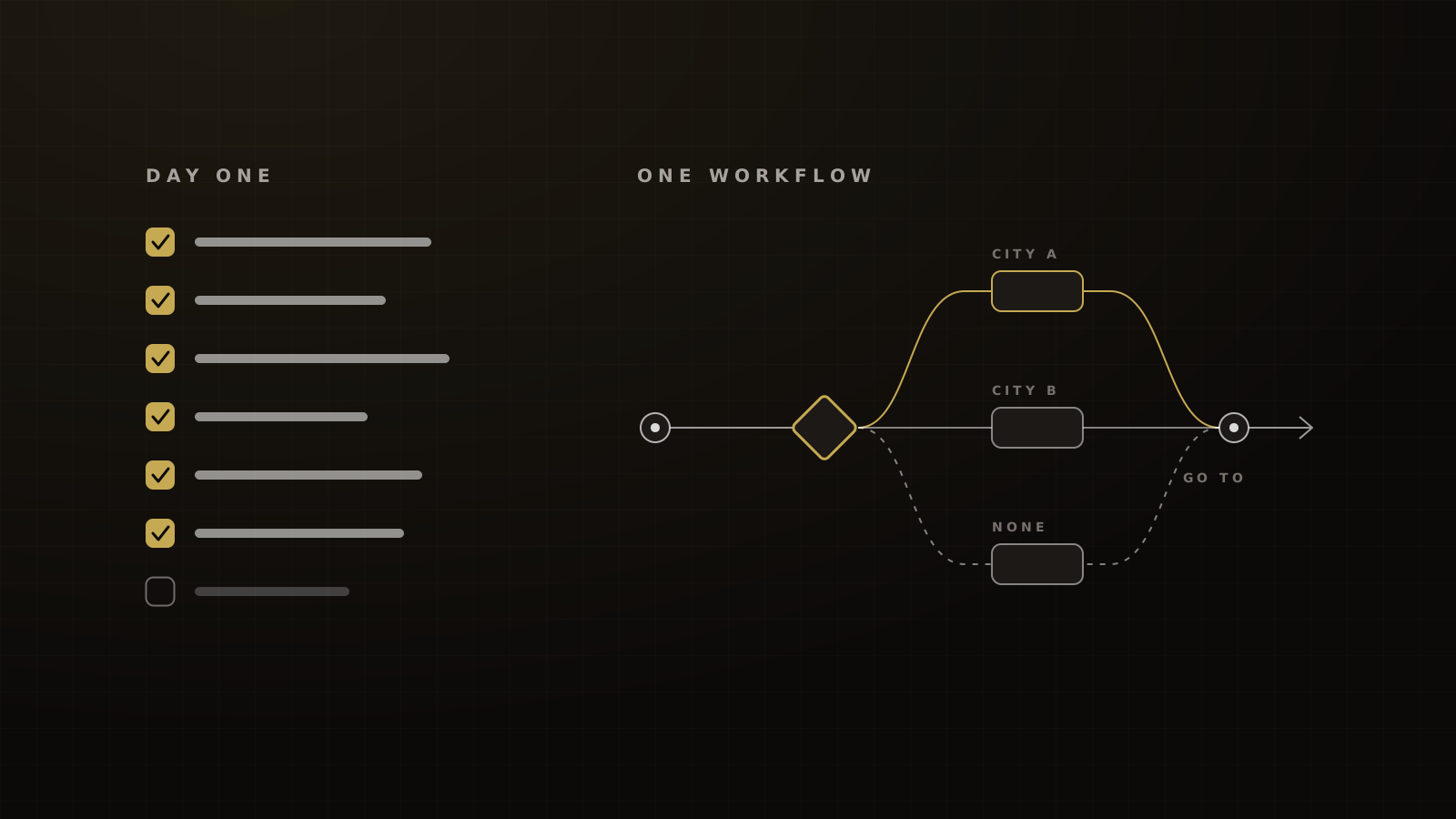
Branch instead. Store the city in a custom field. Use If/Else to route each contact down its city's path, with Dynamic Custom Values and a None branch for anyone whose city is missing.[32] Use Go To to send everyone back to the shared steps afterwards.[33] HighLevel's event data can also drive conditions such as location, ticket type and check-in.[34]
Each workflow still has one trigger type, so "one workflow" means one per job (registration, reminders, follow-up), not one for everything. And finish the copy before you build branches. Every unfinished message multiplies by the number of cities.
7. Snapshot the build (and what it won't copy)
Once it's tested, snapshot it. A snapshot carries the build, but contacts, appointments, conversations, messages, reputation data, Stripe connections and third-party integrations don't transfer.[35] Reconnect payments and integrations in every new account.
Then test by hand. HighLevel's Workflow AI Builder can draft triggers, actions and branches, but its docs say AI can't test workflows.[2]
The day-one checklist
- Sending subdomain authenticated: SPF, DKIM, DMARC, one-click unsubscribe.
- A2P 10DLC campaign approved and the number linked to it.
- Contacts deduped and line-type validated before import.
- Pipeline: New lead → Contacted → Booked → Showed → Offer made → Won → Cash collected, plus No-show and Lost.
- Custom fields for source, campaign, rep QR code, city, ticket type, qualification answers and score.
- Tags only for yes-or-no events: registered, attended, bought.
- Internal Notification to the owning rep on every booking and purchase.
- Every SMS link a trigger link on the brand's domain; no link in the first text.
- Reminders on an appointment trigger; follow-ups on Showed and No-show.
- One workflow per job, branched by city with a None fallback.
- Snapshot saved; Stripe and integrations reconnected after any install.
Do not publish until
- A test email lands in the inbox at Gmail, Yahoo and Outlook.
- A test text delivers from the registered number.
- Reschedule, repeat booking, no-show and opt-out each tested by hand.
- Every city branch, including the None fallback, tested with a real contact.
- A $0 test order moves the opportunity to Won and fires the rep alert.
Why stage-based triggers beat time delays
A time delay assumes something happened. A stage or status trigger knows. "Wait three days, then send the offer" fires whether or not the person showed; "when status is Showed, send the offer" doesn't. Use stage and status triggers for outcomes, and keep reminders tied to the appointment time.
Copy the checklists above into your build doc. If you'd rather we install it, book a strategy call.
Frequently asked questions
Sources
- 1.When appointment start time or other appointment custom values are not showing up. HighLevel Help Center, checked 2026-10-04.
- 2.Workflow AI Builder. HighLevel Help Center, 2026-08-28 (modified).
- 3.Affiliate Program Services Agreement. HighLevel, last updated June 2026.
- 4.HighLevel pricing. HighLevel, checked 2026-10-04.
- 5.Sub-account LaunchPad. HighLevel Help Center, 2026-09-11 (modified).
- 6.Sender best practices. Yahoo Sender Hub, 2024 (enforcement Feb 2024).
- 7.Strengthening the email ecosystem: Outlook's new requirements for high-volume senders. Microsoft (Defender for Office 365 blog), 2025-04-02.
- 8.Email sender guidelines FAQ. Google Workspace Admin Help, living doc, checked 2026-10-04.
- 9.A2P 10DLC messaging fees: registration, monthly and carrier costs. HighLevel Help Center, 2026-09-24 (modified).
- 10.LC Phone pricing guide (US and Canada). HighLevel Help Center, 2026-09-29 (modified).
- 11.Understanding pipelines. HighLevel Help Center, 2026-02-03 (modified).
- 12.Workflow trigger: Pipeline Stage Changed. HighLevel Help Center, 2026-02-26 (modified).
- 13.How to use custom fields. HighLevel Help Center, 2026-09-01 (modified).
- 14.Understanding attribution source (ad reporting). HighLevel Help Center, 2026-08-26 (modified).
- 15.Workflow action: Internal Notification. HighLevel Help Center, 2026-03-31 (modified).
- 16.Annual 2014 Lead Response Report. InsideSales.com (XANT), 2014.
- 17.Chili Insights: vendor response time. Chili Piper, 2022-02-04.
- 18.Lead Response Management Study. InsideSales.com and MIT (James Oldroyd), 2007.
- 19.Trigger links overview. HighLevel Help Center, 2025-07-22 (modified).
- 20.Workflow trigger: Trigger Link Clicked. HighLevel Help Center, 2024-09-01 (modified).
- 21.Error 30892: Campaign vetting rejection, public URL shorteners. Twilio Docs, living doc, checked 2026-10-04.
- 22.Workflow action: Wait. HighLevel Help Center, 2026-09-07 (modified).
- 23.Workflow trigger: Appointment Status. HighLevel Help Center, 2026-04-06 (modified).
- 24.Workflow settings overview. HighLevel Help Center, 2026-09-03 (modified).
- 25.Workflow action: Set Event Start Date. HighLevel Help Center, 2025-05-01 (modified).
- 26.Check-in experience for in-person events. HighLevel Help Center, checked 2026-10-04.
- 27.Do text messages reduce the no-show rate? A systematic review and meta-analysis. BMJ Open (Robotham et al.), 2016-10-24.
- 28.Adding automated calls to text reminders: a rapid randomized trial. NEJM Catalyst (Kavanaugh et al.), 2026-05-20.
- 29.Ways to reduce no-show rates in sales calls. RevenueHero, undated, checked 2026-10-04.
- 30.How to fight demo no-shows. Reply.io, 2023-08-08.
- 31.Webinar Statistics 2024. Banzai (Demio), 2024-01.
- 32.Workflow action: If/Else. HighLevel Help Center, 2026-09-01 (modified).
- 33.Workflow action: Go To. HighLevel Help Center, 2024-09-09 (modified).
- 34.Events and workflows integration. HighLevel Help Center, 2026-08-11 (modified).
- 35.Snapshots overview. HighLevel Help Center, 2026-09-30 (modified).
Written by
Oussama El AlamiCTO & Lead Developer
Oussama leads technical architecture and development at Victory, building in GoHighLevel, n8n and custom environments. He has built more than 10,000 automations across CRMs, payments and messaging.
Part of the guide: GoHighLevel for Coaches, Course Creators and Event Businesses: The Operator's Guide (and the Stack Around It)