ClickUp for Marketing Agencies: The Delivery System We Use (Statuses, Handoffs and AI Action Items)
How we run agency delivery in ClickUp: a Ready for Review gate, contractor scope checks, Looms for offshore teammates and call notes that become tasks.
 Ray GillespieCo-Founder & COO
Published 8 min read
On this page
Key takeaways
- Build ClickUp around handoffs, not task lists. Most dropped work happens between people, not inside a task.
- Add a "Ready for Review" status so nothing closes without a second set of eyes. On our boards, 15–25% of tasks bounce back from it at least once.
- Make contractors confirm scope before they start and before they close.
- Attach a Loom to every task you hand to an offshore teammate.
- Let Claude turn call notes into ClickUp tasks through ClickUp's MCP server, then have a human review the list before anything is created.[1]
Build ClickUp around handoffs. Add a "Ready for Review" status so nothing closes without a second set of eyes. Make contractors confirm scope before they mark a task done. Attach a Loom to every task for offshore teammates. And have Claude push meeting action items straight into ClickUp from call notes.
The plan we run on is ClickUp Business: $12 per user a month billed yearly, with 5,000 automations a month included.[2] Here is how the system works.
Why delivery lives outside the CRM
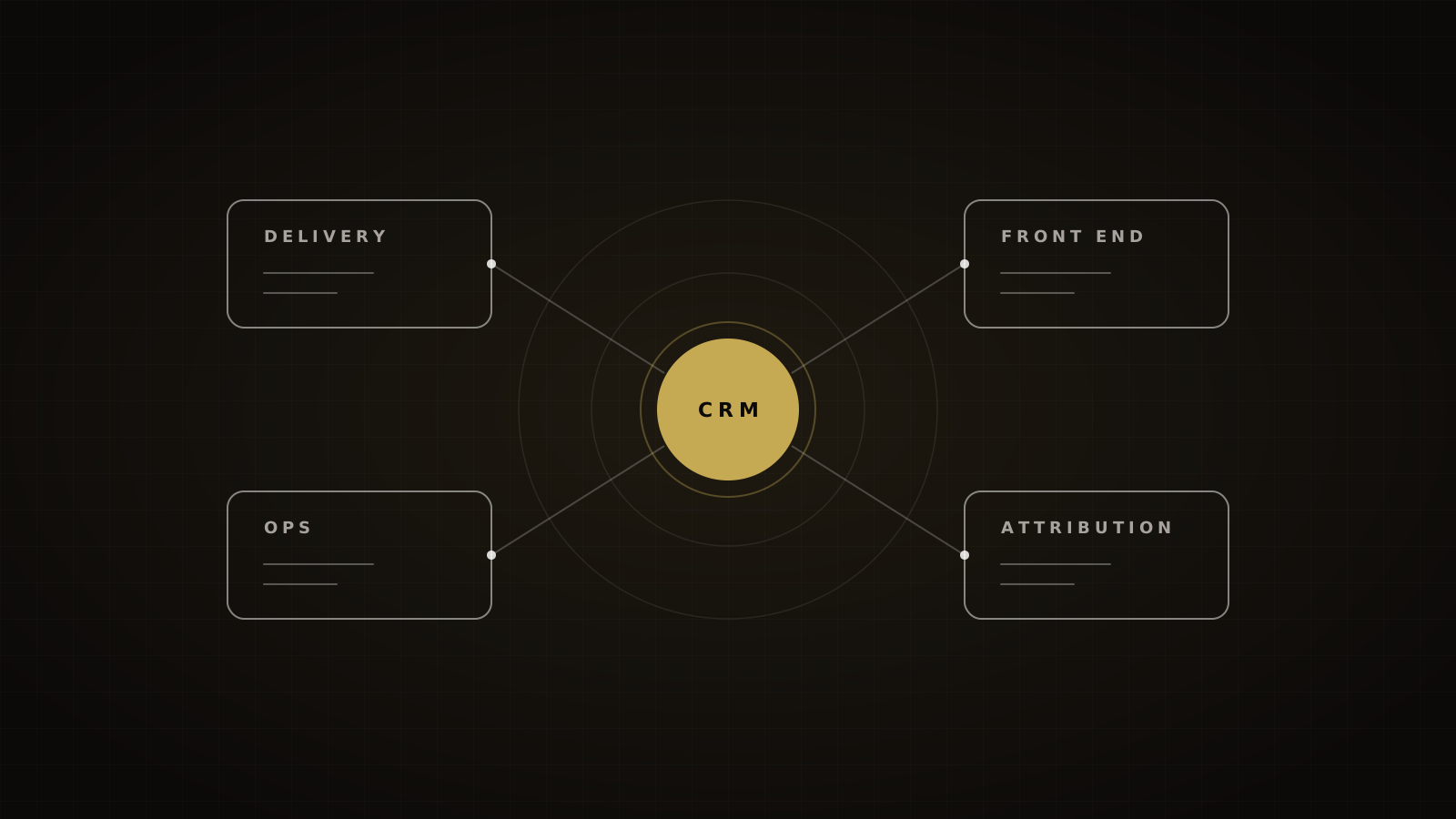
GoHighLevel owns the customer and the deal. ClickUp owns the work after the deal closes. Mixing them works until a project has dozens of tasks and several people; then the pipeline becomes a to-do list nobody trusts.
When a deal is won in GoHighLevel, an automation opens the client's project in ClickUp from a template. The full map of which tool owns what is in our agency tech stack, and the CRM side is in our GoHighLevel guide.
The cost of getting this wrong is time spent hunting. Atlassian's 2025 survey of 12,000 knowledge workers found teams waste 25% of their time just searching for answers.[3] In an agency, that's the designer asking in Slack which version the client approved.
The hierarchy we use
ClickUp's structure is Spaces, Folders and Lists, and statuses can be set at Space, Folder, Subfolder or List level, or saved as status templates.[4] Ours is simple:
- One Space per function: delivery, growth, operations.
- One Folder per client inside the delivery Space.
- One List per project: a launch, a funnel rebuild, a monthly ad program.
- Task types for the work that repeats: page, ad set, email, automation. Task type can drive automation triggers and conditions.[5]
Other good setups use more Spaces. ZenPilot recommends five core Spaces.[6] The exact shape matters less than one rule: every client's work lives in one place, and every List uses the same status template.
Statuses that force handoffs
ClickUp has three default status groups: Active, Done ("done, but need to remain open") and Closed ("totally completed").[4] You can't create custom Closed statuses, only rename them.[4] Ours:
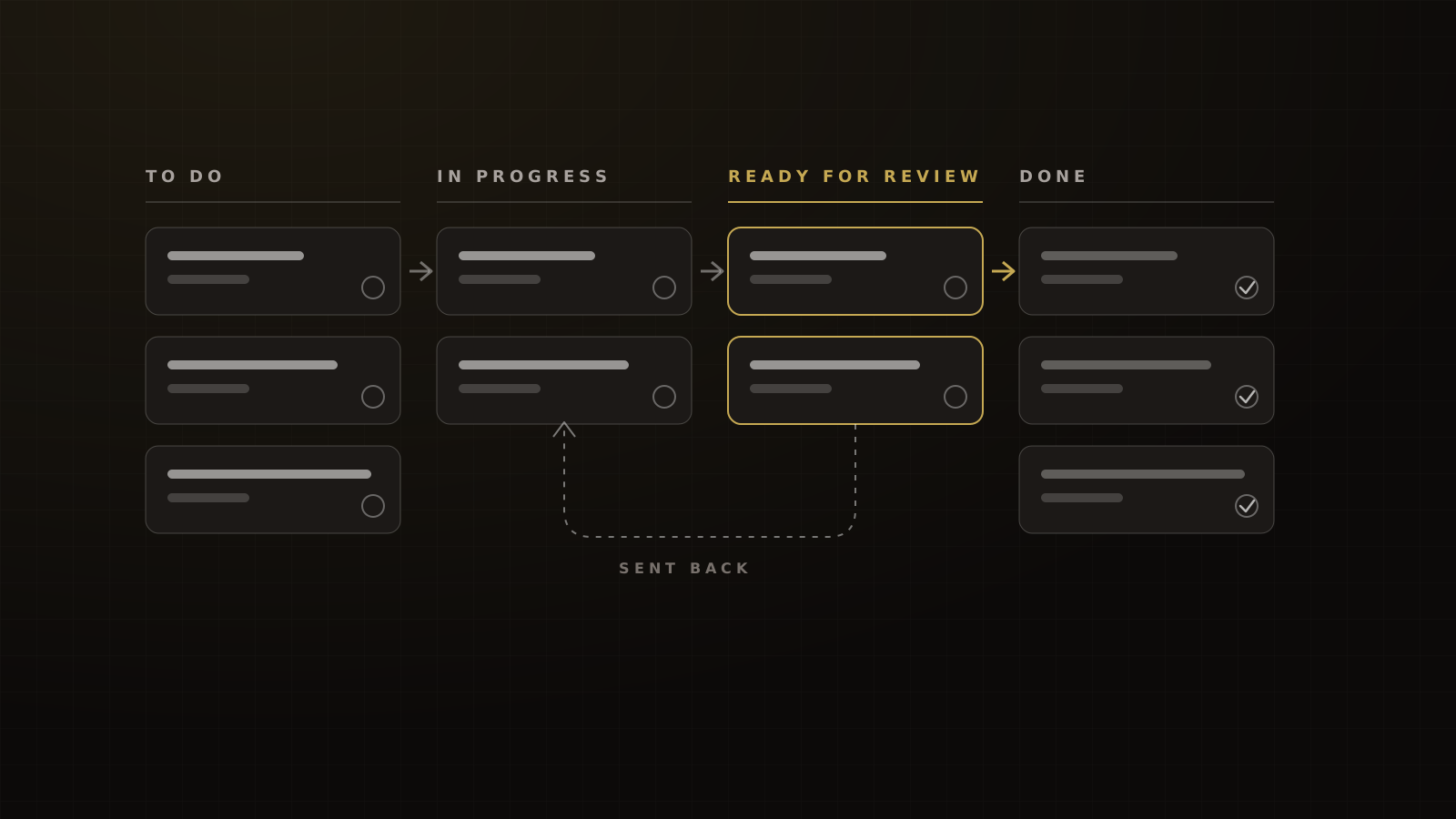
To Do → In Progress → Ready for Review → Done → Closed
Review statuses aren't new. ClickUp's own Marketing Agency template ships with Approval and For Review statuses.[7] What matters is who is allowed to say "done".
"Ready for Review" before Done
The person who did the work never marks it done. They move it to Ready for Review, and that status change fires an automation: ClickUp's status-change trigger can act only when a task moves to a specific status,[8] so we use it to assign the reviewer and notify them.
The reviewer checks the work against the scope and either approves it or sends it back with a comment. On our boards, 15–25% of tasks bounce back from Ready for Review at least once. We know of no industry benchmark for that number, and we don't read it as failure. It's the gate catching work before a client does.
One thing ClickUp won't do for you: required Custom Fields have to be filled when a task is created, but they "do not natively block someone from later changing a task".[9] A required field can't stop someone closing a task without review. The status rule and the habit do that.
Contractors confirm scope before closing
We learned this one the hard way. A contractor once shipped a feature nobody had asked for, with no content in it, and closed the task. The work was real; the scope wasn't.
Now every contractor task carries a scope checklist, and the contractor confirms it twice: once before they start ("this is what I'm building"), and once before Ready for Review ("this is what I built, and here's what changed"). Anything outside the checklist becomes a new task, which makes it visible and billable.
That matters for margin. In Ignition's 2025 survey of 273 US agency leaders, 57% said they lose $1,000 to $5,000 a month to unbilled work, and 78% rarely or only sometimes charge for out-of-scope work.[10]
Looms for offshore teammates
Written briefs fail quietly across time zones. In a Loom-commissioned survey of 7,000 knowledge workers, 80% said they'd redone or done unnecessary work in the past month after misunderstanding a written message, and only 31% had used async video at work.[11] The same survey found 70% think a short video would have prevented their last miscommunication.[11] That's opinion, not a measured result, but it matches what we see.
So every task handed to an offshore teammate carries an evidence packet:
- The asset link: the Figma frame, the page, the ad.
- What changed: two or three lines, in plain words.
- A Loom: two to five minutes, showing the screen and saying what done looks like.
The packet travels with the task, so the next person never has to ask.
AI action items from call notes
There are three different ways to get action items from a meeting into ClickUp. Don't confuse them:
- ClickUp AI Notetaker saves meeting notes as a private Doc, and its "Next Steps" section is a checklist of action items, not assigned tasks.[12]
- ClickUp Brain is ClickUp's own AI, sold as an add-on at $9 per user a month.[2]
- An outside assistant through MCP. ClickUp's MCP server is available on all plans and works with apps such as Claude.[13] It can manage tasks, assignees, priorities and due dates, and extract action items from threads.[1]
We use the third. Our Claude setup is wired to our call recordings and to ClickUp, so the instruction after a call is as plain as Ray's: what happened in this meeting? Take the action items and add them to my ClickUp.
The pattern we use:
- Claude reads the transcript and drafts tasks, each with an owner, due date, the client's exact words on what they asked for, and a link back to the recording.
- A human reviews the list. Wrong owners and invented deadlines get fixed here.
- Only then does Claude create the tasks in the right List.
Claude Code can also run this as a scripted or scheduled job, for example a nightly pass over the day's calls.[14] On one project, Claude produced more than 100 tasks with dependencies from the synced transcripts. A human still checked every one.
In our experience, AI saves our ops team 15 to 20 hours a week across call notes, task plans and reporting. In HubSpot's 2026 survey of 1,500+ marketers, about a third of teams self-reported saving 10 to 14 hours a week with AI and another third 15 or more.[15] Zoom's own model puts meeting summaries at about 1.6 hours a week back on follow-up.[16]
We also get a first-draft phased build plan from one discovery call, turned into ClickUp tasks, in under 30 minutes including review. The only public comparison is a vendor anecdote: Anthropic says its marketing team cut case-study drafts from 2.5 hours to 30 minutes.[17]
Automations and limits
Know the ceilings before you wire ClickUp to a CRM or an AI assistant:
- Automations: Business includes 5,000 a month; Enterprise 250,000.[2]
- API: 100 requests a minute per token on Free, Unlimited and Business; 1,000 on Business Plus; 10,000 on Enterprise.[18]
- MCP: still in public beta, and ClickUp says it doesn't expose the full API surface.[19]
A bulk import of 100 AI-drafted tasks can hit the API limit in a minute, so batch it. And treat MCP as a fast lane for task work, not a replacement for a proper integration.
What it costs
ClickUp has a free plan; Unlimited is $7 per user a month and Business $12, both billed yearly. Brain AI is $9 per user on top.[2] A Claude Team seat is $20 a month billed annually or $25 monthly.[20]
For a 10-person agency, ClickUp Business plus Brain is about $210 a month. It sits inside a core stack that runs roughly $900–$1,400 a month at list prices, before usage and excluding attribution software. That figure is an illustration from list prices, not a benchmark; the line items are in our agency tech stack.
Want to see the delivery system on your own projects? Book a strategy call and we'll show you how we build it.
Frequently asked questions
Sources
- 1.Connect an AI assistant to ClickUp's MCP server. ClickUp Developer Docs, living doc, checked 2026-10-04.
- 2.ClickUp pricing. ClickUp, checked 2026-10-04.
- 3.State of Teams 2025. Atlassian, 2025.
- 4.Manage task statuses. ClickUp Help Center, 2026-09-18 (updated).
- 5.Custom task types. ClickUp Help Center, 2026-10-04 (updated).
- 6.How to set up ClickUp for agencies. ZenPilot, 2026-07-01 (updated).
- 7.Marketing Agency template. ClickUp, checked 2026-10-04.
- 8.Use Automation Triggers. ClickUp Help Center, 2026-10-04 (updated).
- 9.Make Custom Fields required. ClickUp Help Center, 2026-09-24 (updated).
- 10.2025 Agency Pricing and Cashflow Report. Ignition, 2025-05-22.
- 11.How to get your team unstuck from constant miscommunication. Loom / Atlassian, 2026-02-03.
- 12.Use AI Notetaker to take notes and record meetings. ClickUp Help Center, 2026-10-01 (updated).
- 13.What is ClickUp MCP?. ClickUp Help Center, 2026-09-27 (updated).
- 14.Claude Code overview. Anthropic Docs, living doc, checked 2026-10-04.
- 15.2026 State of Marketing. HubSpot, 2026-04-10 (updated).
- 16.AI Companion ROI dashboard. Zoom, 2026-03-30.
- 17.How Anthropic uses Claude in marketing. Anthropic (Claude blog), 2026-01-26.
- 18.Rate limits. ClickUp Developer Docs, living doc, checked 2026-10-04.
- 19.ClickUp MCP vs API. ClickUp, 2026-08-13.
- 20.Claude pricing. Anthropic, checked 2026-10-04.
Written by
Ray GillespieCo-Founder & COO
Ray runs day-to-day operations across every Victory engagement, building the systems, automations and AI-powered workflows that hold the machine together. He has overseen operations behind more than $120M in revenue.
Part of the guide: GoHighLevel for Coaches, Course Creators and Event Businesses: The Operator's Guide (and the Stack Around It)