From Figma to a Live Site With v0 and Vercel: How We Rebuilt a Summit Brand's Pages Inside GoHighLevel
The full chain we use to rebuild landing pages: Figma comps into v0, GitHub, Vercel, then back into GoHighLevel. Plus the tracking catch most guides skip.
 Ray GillespieCo-Founder & COO
Published 8 min read
On this page
Key takeaways
- The chain is Figma → v0 → GitHub → Vercel → back into GoHighLevel. GoHighLevel stays the CRM; only the page moves.
- v0 reads a pasted Figma link directly: frames, tokens, auto layout, text and assets. It needs a paid v0 plan.[1]
- Every push gets a preview URL. Production only changes when you publish from the production branch, and rollback is instant.[2]
- The catch: an embedded page is its own document. Tags on the GoHighLevel page don't run inside it, and HighLevel's own external tracking doesn't support iframe forms.[3]
- Instrument the embedded page itself, then prove it with a $0 test order before a dollar of ad spend.
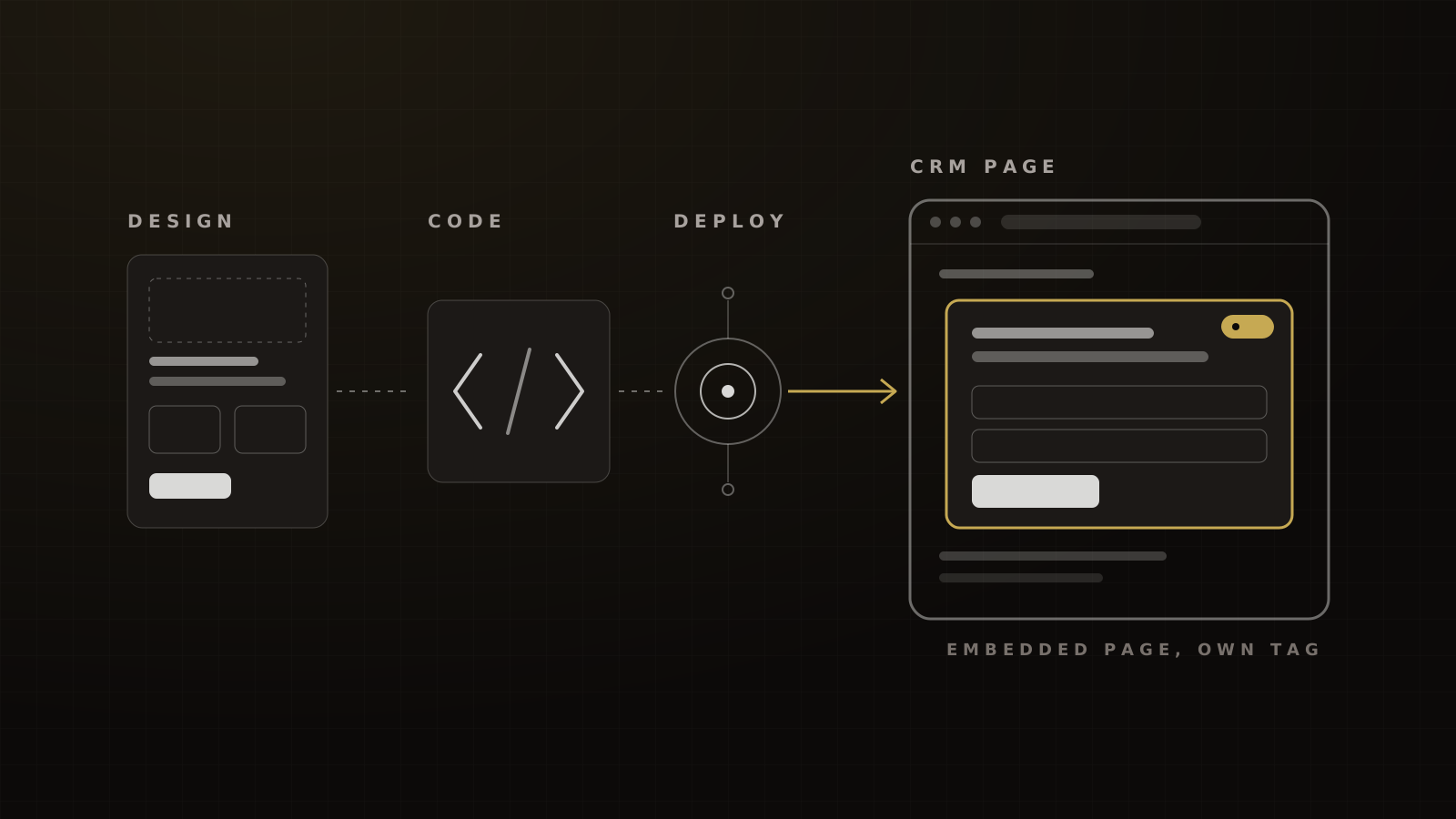
Design the pages in Figma. Paste the Figma link into v0 to generate the code. Push it to GitHub, deploy on Vercel, then embed the Vercel page back into GoHighLevel so forms, pipelines and automations keep working.
That's the whole method. We used it to rebuild the registration and sales pages for a multi-day virtual summit brand whose GoHighLevel pages couldn't match the design it wanted.
The part most tutorials miss comes at the end. When a page lives inside an iframe, the tracking on the outer page can't see it. Get that wrong and every sale arrives in the CRM with no ad source attached.
Why rebuild outside the GHL page builder
Two reasons: design control and speed. The GoHighLevel builder is fine for a standard opt-in page. It gets in the way when a brand needs custom layouts, motion or a design system that matches the rest of its site.
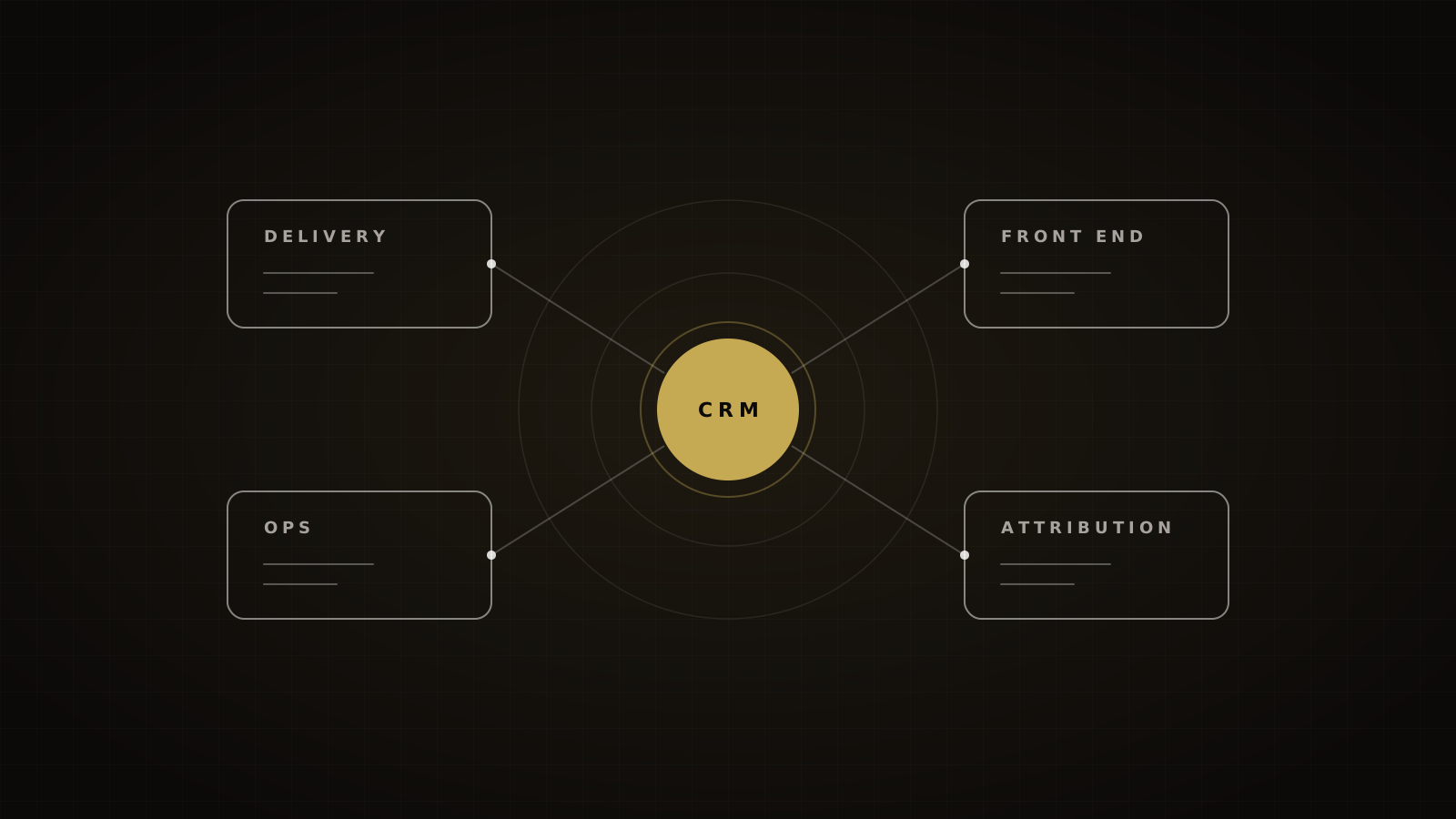
We don't move the CRM. GoHighLevel keeps the contacts, the pipeline and the workflows. Only the front end changes. If you're still deciding what GoHighLevel should own in the first place, start with our operator's guide to GoHighLevel.
Speed is the second reason, and most sites miss it. Only 48% of mobile sites had good Core Web Vitals in 2025.[4] Google's "good" bar is LCP within 2.5 seconds, INP of 200 milliseconds or less and CLS of 0.1 or less, at the 75th percentile of page loads.[5]
Our target for rebuilt v0/Vercel pages is all three thresholds on mobile, with LCP under 2.0 seconds. We couldn't find a verified pass rate for GoHighLevel's page builder, so measure your current pages before you assume they're slow.
Be honest about what speed buys. In a 2020 Deloitte study for Google, a 0.1-second mobile speed gain went with 8.4% more retail conversions. For the lead-generation brands in the same study, form progression rose 21.6% but mobile conversion fell about 1.9%.[6] Portent's e-commerce data shows 3.05% conversion at a 1-second load against 0.67% at 4 seconds.[7] Both are correlations. Speed helps engagement; it doesn't guarantee registrations. Measure your own.
Step 1: Figma comps (and what v0 needs from them)
v0 builds from what's in the file, so the file has to be clean. Before we hand anything over:
- Name every frame by page and breakpoint ("Register / Desktop", "Register / 390").
- Use auto layout everywhere. Absolute-positioned groups come out as brittle code.
- Put colors and type in variables. v0 reads design tokens, so a token set becomes a theme instead of a pile of hex codes.
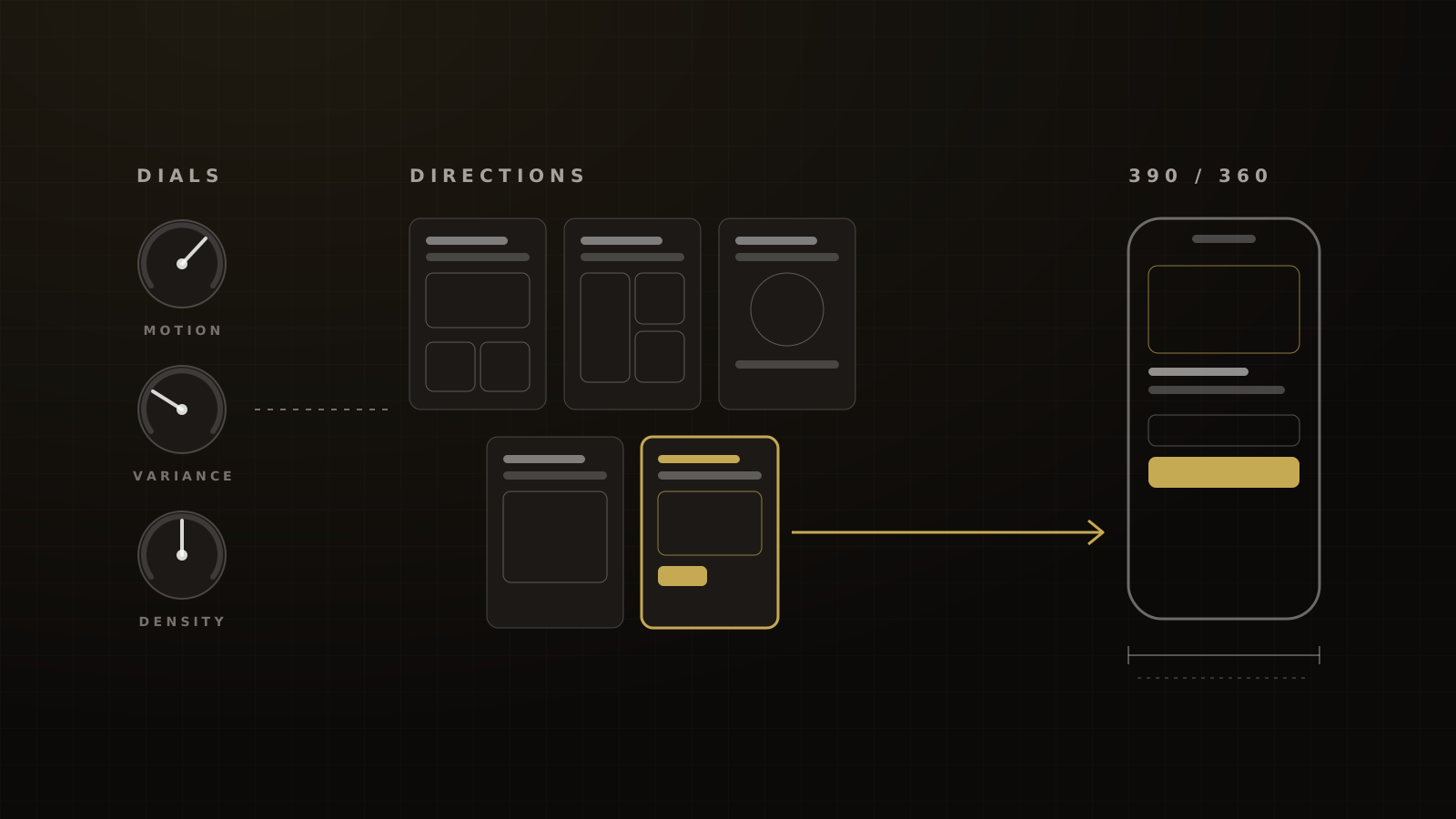
- Design mobile first. We comp at 390px and check 360px, the widths covered in Step 4.
Figma's Dev Mode is where a developer inspects properties, views generated code and downloads assets.[8] Use it to answer spacing questions before they become v0 prompts.
Step 2: Figma link into v0
v0 is an AI agent that writes real code and can build high-fidelity UIs from mockups.[9] Paste the Figma link (or use Import from Figma). v0 reads pages and frames, variables, auto layout, text and assets, and builds the screens as one app. No plugin or desktop app is needed, but the Figma integration is only on paid plans.[1]
Import one page at a time. A full file in one pass gives v0 too much to reconcile, and you'll spend longer untangling it than you saved.
Expect a strong first draft, not a finished page. Copy, form behavior and edge cases still need a human.
Step 3: Refine in v0, then GitHub
Most fixes happen in v0's Design mode. Select an element in the live preview, adjust it visually or by instruction, and the edit is written back to the source. It isn't available on mobile viewports, so do the mobile refinements by prompt or in code.[10]
Then connect GitHub. That gives you a repository, branches, preview changes, CI and publishing through pull requests. GitHub sync doesn't grant deploy permission by itself, so decide who can ship.[11]
Our rule: v0 works on a branch, a human reviews the pull request, and nothing merges to the production branch without that review.
Step 4: Preview, then production on Vercel
v0 deploys to Vercel. Working branches get preview deployments with their own URLs; publishing updates production.[12] Vercel's Git integration does the same for every push, deploys production from the production branch and offers instant rollback.[2]
That preview URL is where the client signs off. Nobody approves a page from a screenshot.
Run the mobile pass on the preview. In the US, 390x844 accounts for 10.16% of mobile page views and 360x780 for 4.51%.[13] Worldwide, mobile is 58.99% of page views.[14] If it breaks at 360px, it isn't done.
For the domain, an apex domain uses an A record and a subdomain uses a CNAME, with TXT verification if Vercel asks.[15]
Step 5: Back into GoHighLevel
There are two ways to bring the page home, and the choice decides which document owns each conversion:
- Vercel page inside a GoHighLevel page. The visitor lands on a GoHighLevel funnel URL, and the Vercel build loads in an embedded frame. GoHighLevel owns the URL; the Vercel page owns the content.
- HighLevel forms and calendars inside the Vercel page. The page lives on its own subdomain, and HighLevel's embed code places the form or booking calendar in it.[16]
Either way, the form that captures the lead should be a HighLevel form, survey, calendar or order form. Those submissions record First and Latest attribution on the contact.[17] That keeps your pipelines, tags and workflows running exactly as before.
The catch: iframes strip tracking
Here's how it shows up. On one rebuild, an embedded form silently stripped the ad source from every sale. Leads arrived. Payments arrived. The attribution fields were empty.
Nothing was "blocked". The iframe simply did what iframes do:
- Each embedded page is its own document. Pixels and tags on the parent GoHighLevel page don't run inside it, and can't read its form.
- HighLevel's External Tracking is DOM-based. It reads form fields on the page, and its docs say forms embedded via iframes or third-party widgets are not supported.[3]
- Hyros treats an iframe as a separate page. Its docs say to put the universal script inside the iframe's head, or post leads server-side.[18]
- The Source field won't save you. HighLevel says a form's Source field is different from its attribution data and from utm_source.[19]
The fix is to instrument the embedded page itself. Put the analytics, pixel and attribution scripts in the head of the Vercel page, and pass the landing page's query string down to every embedded frame so the UTMs survive. Because the scripts live in the Vercel project, instrumenting the page once covers every place it's embedded.
The $0 order test, before any ad spend
- Click a real ad preview, or a URL carrying full UTMs, on a phone.
- Register through the embedded form and confirm the contact's First and Latest attribution in GoHighLevel.
- Buy with a 100% discount code so the order runs at $0.
- Confirm the sale in your attribution tool with the right ad, campaign and source.
- Confirm the pipeline stage moved and the rep alert fired.
- Repeat on a second browser and at 360px.
What it costs
At list prices on 2026-10-04: a Figma Full seat is $16 a month,[20] v0 Plus is $30 per user a month,[21] and Vercel Pro is $20 a month with $20 of included usage.[22] For one designer and one builder, the front-end stack runs well under $100 a month before usage. GoHighLevel is a separate line, and our full agency stack shows how the pieces fit.
What changed for the summit brand
The rebuilt pages went live inside the brand's existing GoHighLevel account. Its pipelines, reminder workflows and rep alerts didn't change.
We judge a rebuilt event or webinar registration page against one target: 22% to 30% of cold Meta visitors registering. That's our target, not a measured result. The nearest public figure is 22.3% for webinar-promotion landing pages in GetResponse's 2023 customer data.[23]
Want to see the chain run on your pages? Book a strategy call and we'll show you how we build it.
Frequently asked questions
Sources
- 1.Figma integration. v0 by Vercel (docs), living doc, checked 2026-10-04.
- 2.Deploying Git repositories with Vercel. Vercel Docs, living doc, checked 2026-10-04.
- 3.Tracking external forms with GoHighLevel. HighLevel Help Center, 2026-08-26 (modified).
- 4.Web Almanac 2025: Performance. HTTP Archive, 2026-01-15.
- 5.Web Vitals. Google (web.dev), living doc, checked 2026-10-04.
- 6.Milliseconds Make Millions. Deloitte for Google, 2020.
- 7.Site speed is (still) impacting your conversion rate. Portent, 2022-04-20.
- 8.Guide to Dev Mode. Figma Help Center, living doc, checked 2026-10-04.
- 9.v0 documentation. v0 by Vercel (docs), living doc, checked 2026-10-04.
- 10.Design mode. v0 by Vercel (docs), living doc, checked 2026-10-04.
- 11.GitHub. v0 by Vercel (docs), living doc, checked 2026-10-04.
- 12.Deployments. v0 by Vercel (docs), living doc, checked 2026-10-04.
- 13.Mobile screen resolution stats, United States. StatCounter Global Stats, 2026-09.
- 14.Desktop vs mobile vs tablet market share worldwide. StatCounter Global Stats, 2026-09.
- 15.Adding and configuring a custom domain. Vercel Docs, living doc, checked 2026-10-04.
- 16.Embedding HighLevel calendars using HTML code. HighLevel Help Center, living doc, checked 2026-10-04.
- 17.Understanding attribution source (ad reporting). HighLevel Help Center, 2026-08-26 (modified).
- 18.Troubleshooting iframes and missing leads. Hyros Docs, undated, checked 2026-10-04 (search snippet of the official page).
- 19.Source field in forms and surveys. HighLevel Help Center, 2026-09-08 (modified).
- 20.Figma pricing. Figma, checked 2026-10-04.
- 21.Pricing. v0 by Vercel (docs), checked 2026-10-04.
- 22.Vercel pricing. Vercel, checked 2026-10-04.
- 23.Email Marketing Benchmarks (2024 edition). GetResponse, 2024.
Written by
Ray GillespieCo-Founder & COO
Ray runs day-to-day operations across every Victory engagement, building the systems, automations and AI-powered workflows that hold the machine together. He has overseen operations behind more than $120M in revenue.
Part of the guide: GoHighLevel for Coaches, Course Creators and Event Businesses: The Operator's Guide (and the Stack Around It)