How to Build a Webinar Funnel in GoHighLevel (Step by Step)
Build a GoHighLevel webinar funnel step by step: four pages, a paid step after sign-up, pipeline stages, reminders that deliver and tracking that dedupes.
 Oussama El AlamiCTO & Lead Developer
Published 10 min read
On this page
Key takeaways
- Build four steps (registration, confirmation, live room, replay and offer) and put a workflow and a pipeline stage behind each one.
- HighLevel's webinar funnel generates the registration, confirmation and broadcast pages. You add the paid step, the tracking and the behavior-based follow-up.
- A free registration form can't carry an order bump in HighLevel, because bumps need a main product. Put the paid offer on the next step.[1]
- Don't promise yourself an automatic Zoom attended or no-show tag. HighLevel's Zoom docs cover calendar bookings, not webinar attendance.[2]
- Fire CompleteRegistration on the real completion, run the Conversions API alongside the Pixel, and check both events dedupe.
In GoHighLevel, build the webinar as four steps: registration, confirmation, live room, and replay and offer. Put a workflow and a pipeline stage behind each step, so every registrant's next message depends on what they actually did.
HighLevel's native webinar funnel gives you most of the pages. What it doesn't give you is the paid step after registration, tracking you can trust, attendance data that comes back into the CRM, and follow-up sorted by behavior. That's the part this guide covers, in the order we build it.
What you're building
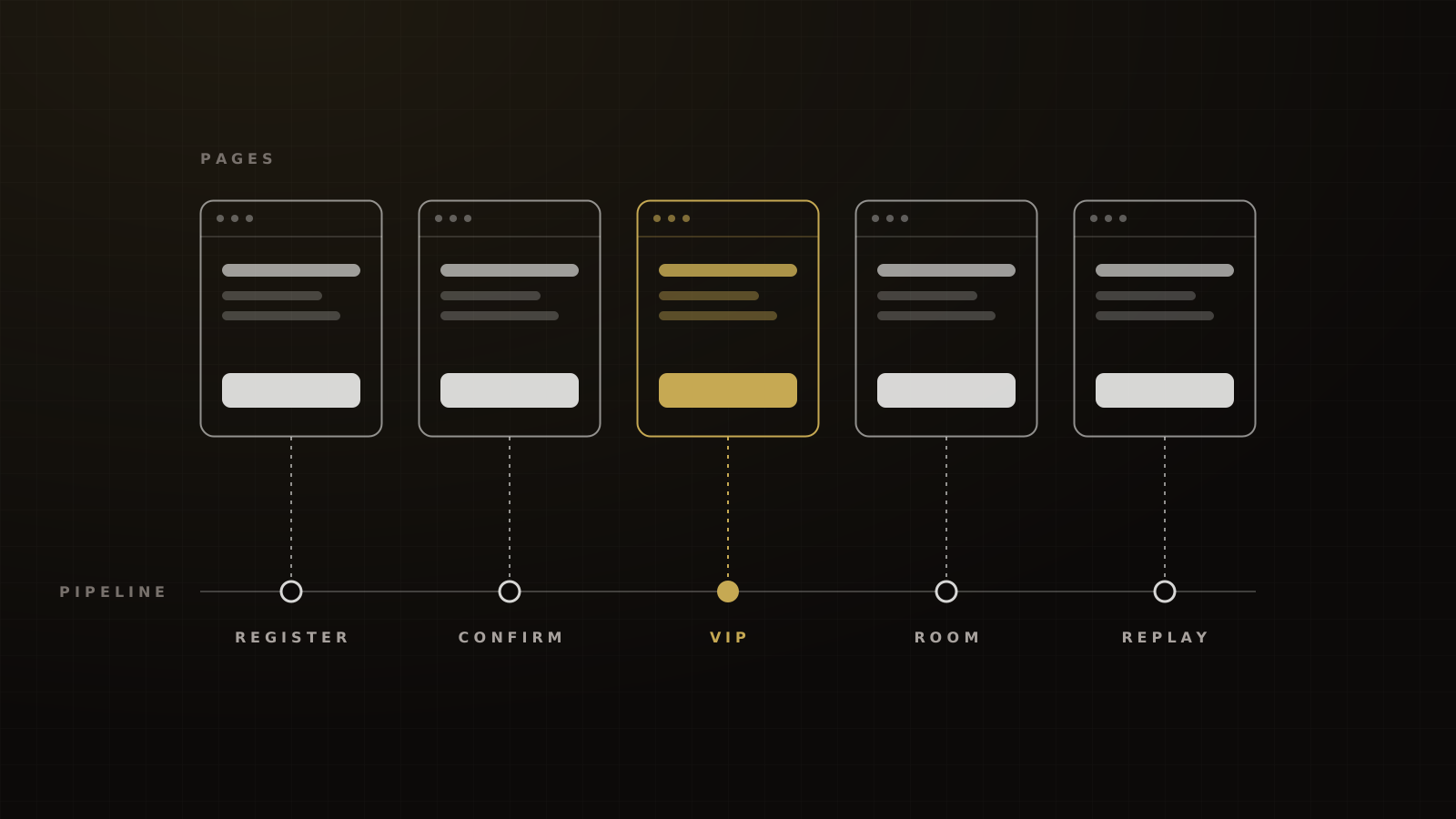
Jason Fladlien's four-page webinar funnel is the skeleton: registration, thank-you, sales and replay. Here's how each page maps to HighLevel, and what sits behind it.
| Page | In HighLevel | What fires behind it | Pipeline stage |
|---|---|---|---|
| Registration | Webinar funnel registration page and form | Form Submitted workflow | Registered |
| Confirmation | Webinar funnel confirmation page | Pixel CompleteRegistration, reminder workflow starts | Registered |
| Paid step | Order form page after confirmation | Order workflow, VIP tag | Paid VIP |
| Live room | Broadcast page, or your Zoom link | Attendance tag (native tracking or Zoom report) | Attended or No-show |
| Replay and offer | Replay page plus offer page | Video Tracking and offer-click workflows | Watched, Clicked offer, Bought |
Victory's build pattern. The paid step is our addition to Fladlien's four pages.
On our builds, a day-one coaching or event sub-account, including this funnel, is live in 5–7 business days. That's our build norm, not an industry benchmark.
Step 1: create the webinar funnel
Start in Sites, under Webinars. HighLevel supports live and on-demand webinars, and a webinar funnel generates the registration, confirmation and broadcast pages for you. It also ships with reminders at 24 hours, 1 hour and 10 minutes before the session.[3] The templates take Zoom or YouTube Live streaming links and come with pre-configured email and SMS reminder recipes.[4]
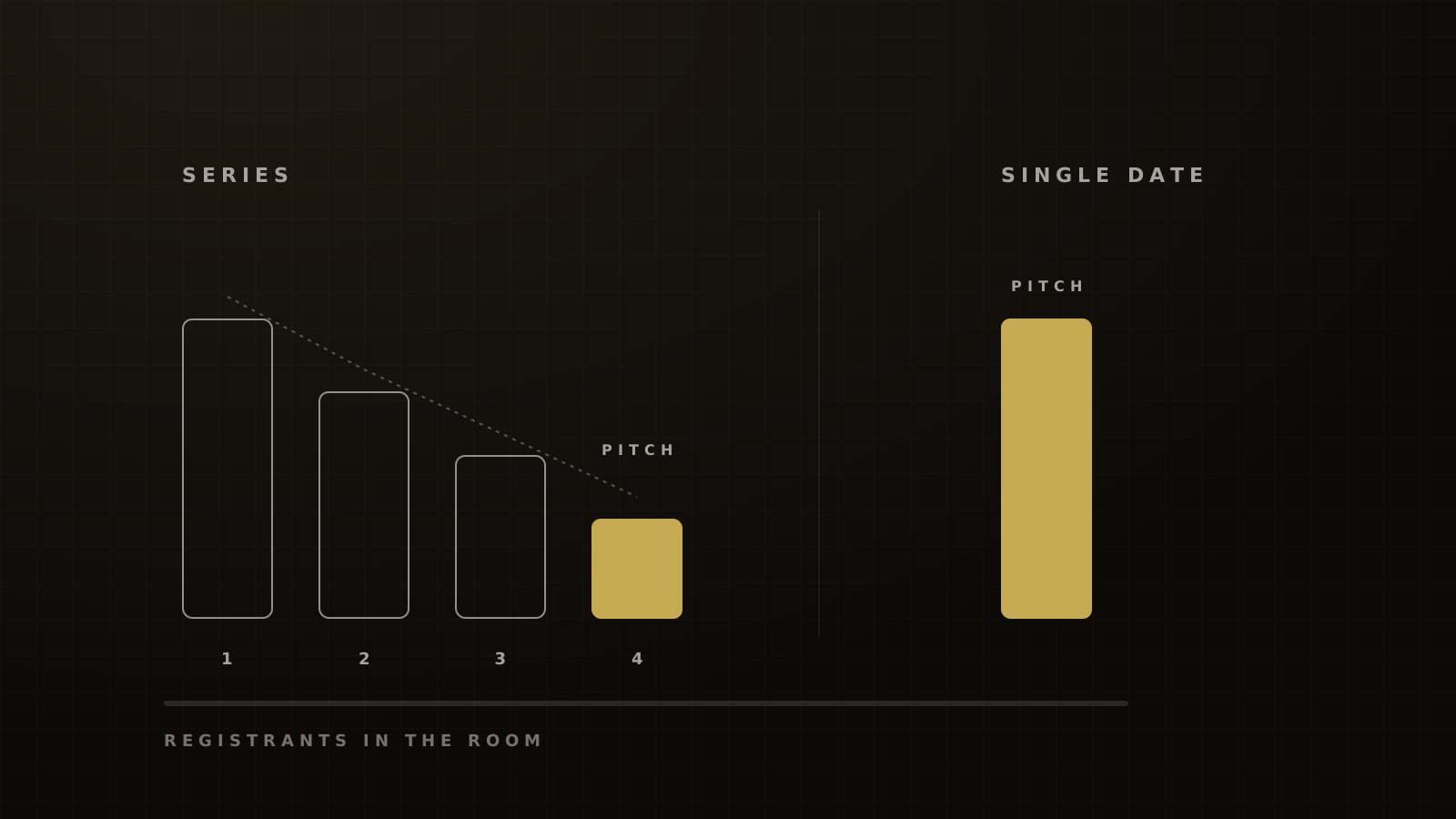
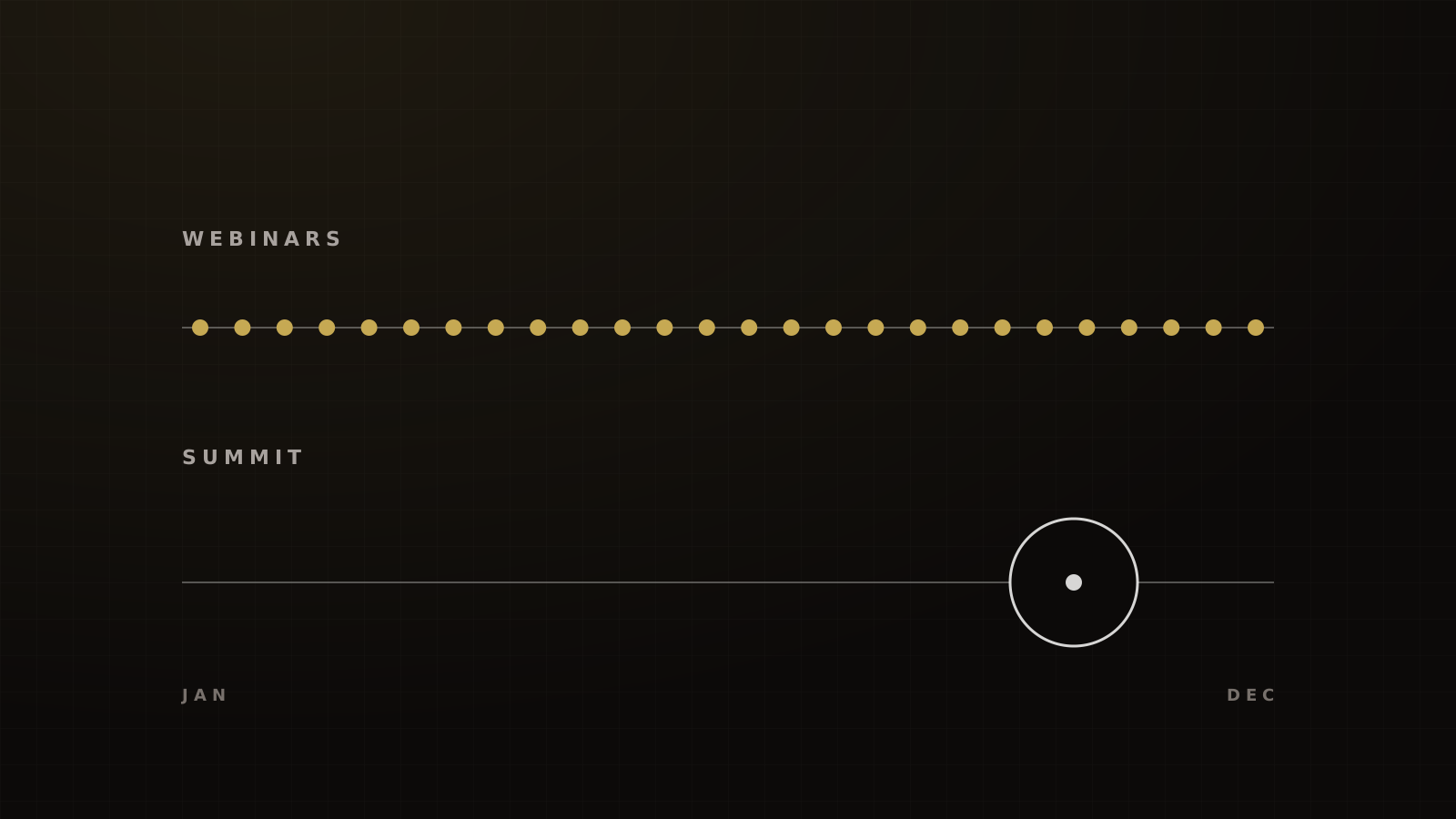
Choose the schedule next. Recurring webinars can run daily, weekly or monthly, or on "No Fixed Time", where the broadcast plays as soon as someone registers. A countdown shows before each session. One series can't mix live and on-demand sessions,[5] so if you run a live version and an evergreen version, build them as two webinars. Which one to run first is covered in live vs evergreen vs hybrid webinars.
Then decide how you'll stream, because it decides how you get attendance data back.
- Native or on-demand delivery gives you HighLevel's video analytics and the Video Tracking trigger.
- Zoom gives you Zoom's room features, but attendance lives in Zoom until you bring it back.
HighLevel also documents native live streaming with chat, reactions, raise-hand and recording, rolled out through Courses and Communities,[6] and a separate Go Live feature in Communities.[7] Neither doc says those controls are in the Sites webinar broadcast page. Test the room you'll actually use before you promise a client chat or a CTA button.
Step 2: the registration page and form
Write the page like an invitation to an event: what they'll learn, when, and why it's worth an evening. Don't sell the product here. Fladlien's advice is to keep a little friction, because sign-ups that take no thought show up less.
Keep the form short: name, email and mobile number, with SMS consent language next to the phone field. Every extra field costs registrations, so add qualifying questions only if your closers will use the answers.
On the funnels we run, a free webinar registration page converts 22–30% of cold Meta visitors. GetResponse's landing pages that promoted a webinar converted 22.3% of visitors in 2023 data.[8]
Keep registration open right up to the start. In Livestorm's 2025 data, 15.3% of registrations came on the day of the webinar.[9] Contrast puts 23% inside the final 48 hours.[10] We run ads only in the two days before each session, so the page also has to load fast under a spike.
Step 3: the confirmation page
Keep this page even if you're cutting steps elsewhere. Fewer steps make cleaner pixel data, but the confirmation page is the one the pixel needs, and it's where commitment gets locked in.
Put on it:
- The date and time in the registrant's own timezone.
- Add to calendar.
- What they'll get for showing up live.
- A "text us" button with a pre-filled message, so your first SMS isn't from an unknown number.
- The paid next step (Step 4).
A Wallet pass is optional. When we offer one on the confirmation page and in the confirmation message, 40–55% of registrants add it. That's a pass-save rate, not a show rate, and we know of no solid public benchmark to set beside it.
Fire Meta's CompleteRegistration standard event when this page loads after a real submission, not on the button click. Meta defines it as submitting information in exchange for a service.[11]
Step 4: the paid step after registration
Keep registration free and put a paid offer right after it: a VIP seat, replay access or a workbook. There's no friction, because they've already said yes.
HighLevel's own docs explain why it can't go on the registration form. Bumps work on forms with a Sell Product element, but bump products won't appear unless a main product is also present.[1] A free registration has no main product. So build the paid offer as its own order form page and route the confirmation button to it.
In our experience, 5–12% of free registrants take this offer, and it recovers roughly 40–50% of the webinar's ad spend. Don't hold it against vendor bump figures. SamCart's 30–40% take rate is measured among buyers already at checkout, a different denominator.[12] Russell Brunson's funnel building blocks (bumps, one-time offers, downsells) are the pattern behind this step. The economics are in the webinar order bump guide.
Step 5: pipeline stages and workflows
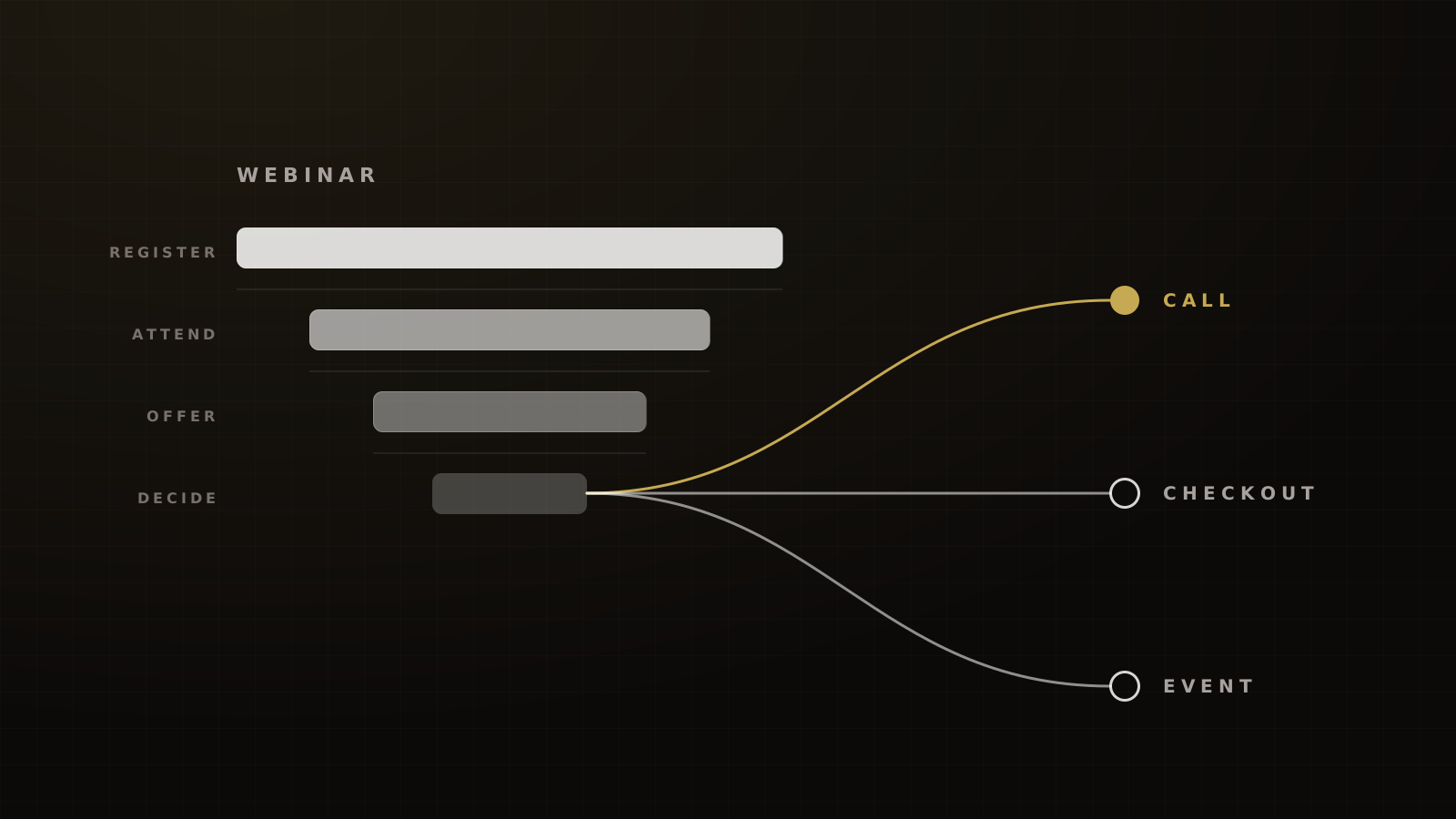
This is where most GHL webinar builds stop short. Give every behavior a stage, and let workflows move contacts between them.
Framework
The webinar pipeline
- Registered: Form Submitted on the registration form.
- Paid VIP: order completed on the paid step.
- Attended live: native attendance or Zoom report import.
- No-show: registered, no attendance record after the session.
- Watched 50%+: Video Tracking trigger on the replay.
- Clicked offer: trigger link clicked on the offer.
- Started checkout: checkout opened, no order.
- Bought: order completed on the main offer. Remove from every sales sequence.
Victory's stage list for GoHighLevel webinar builds.
HighLevel's trigger list includes Form Submitted, Trigger Link Clicked and Video Tracking, but nothing named "Webinar Registration" or "Zoom attendance".[13] Plan for that.
Getting attendance in. For native or on-demand delivery, the Video Tracking trigger fires at a watched-percentage threshold, such as 50%, and the video analytics show average watch time, drop-off point and unique viewers.[14] For Zoom, HighLevel's integration doc covers calendar bookings and describes no attendance sync.[2] Zoom's attendee report does mark each registrant as attended or not.[15] Import it, or move it with an integration you build, and tag attended and no-show contacts with a workflow. Appointment "showed" and "no-show" statuses are for calendar bookings, not webinars.
A day-one coaching or event build has 12–20 workflows on our builds. The webinar accounts for several of them: registration, confirmation and reminders, paid step, attendance, replay, offer clicks, checkout abandonment and buyer onboarding.
Reminders. Start from HighLevel's 24-hour, 1-hour and 10-minute recipe. On the day, we add a morning reminder, a "we're live" text at start time and a late-join text shortly after. In Demio's 2023 data, webinars using its email reminders had 35% live attendance, against 9% without.[16] It's correlational, but the direction is clear. With the system working, we see 25–35% of cold-traffic registrants attend live, against Demio's 20% for Education Services.[16]
The Time Window trap. If a workflow has a Time Window, SMS and email actions scheduled outside it are paused until the next available slot.[17] On an evening webinar, a 10-minute reminder can then arrive after the session starts. Set the window around your session time.
Late registrants. People who sign up on the day have already missed the earlier reminders. Branch the workflow on time-to-start so they get a short "you're in, here's the link" sequence instead.
SMS that delivers. No raw link in the first text. Use trigger links on the brand's own domain, drip bulk sends instead of blasting, and send from a number on the brand's registered A2P 10DLC campaign. After we rebuilt our setup this way, reminder delivery came back above 95%. The full post-mortem is in why our event reminder texts got carrier-filtered.
Email that lands. On domains we manage, our target is 90%+ inbox placement on pre-send seed tests. Validity's 2025 global average was 87.2%.[18] We keep Gmail's user-reported spam rate under 0.1%; Google's ceiling is 0.3%.[19]
Step 6: tracking
Tracking is what lets you scale the ads that work. Four rules:
- CompleteRegistration on the real completion. Fire it on the confirmation page after a real submission.
- Conversions API alongside the Pixel. Meta recommends running both. It dedupes them when the event ID and event name match, within 48 hours.[21] HighLevel funnels generate an event ID, store it with the contact's attribution and send it with the Conversions API action "if available".[22] Check both events in Events Manager anyway.
- Tracking on every step, including embedded forms. An iframe form without its own tracking script loses the ad source.
- Test with a $0 order. A 100% discount code lets you run the whole chain, from ad click to purchase event, before real buyers arrive.
Add UTMs to every ad and every email link, and map them to contact fields, so a buyer three weeks later still carries the source.
Step 7: the replay and offer page
The replay page sells as much as the live room. ON24 says making recordings available by default can raise total views by up to 80%.[23] Goldcast found that 10.61% of live attendees went back to the replay.[24]
Set a real deadline on the replay and the offer, and end it when it says it ends. Put the Video Tracking trigger on the replay so viewers who reach the pitch get the offer sequence, and viewers who leave early get a shorter recap. The full sequences by segment are in the webinar follow-up sequence.
Launch checklist
Before the first session
- Registration form submits, tags the contact and fires the reminder workflow.
- CompleteRegistration and the matching Conversions API event both show in Events Manager.
- The paid step completes with a $0 test order and moves the contact to Paid VIP.
- Reminder workflows clear the Time Window for your session time.
- Late registrants get the short sequence.
- Every SMS link is a trigger link on the brand's domain, and there's no link in the first text.
- Attendance tagging is tested: Video Tracking for native, or the Zoom report import.
- Replay and offer deadlines are real and set.
- Budget for usage: in launch months, email, SMS, carrier and A2P fees run 1.5–3x the plan fee on the event funnels we run.
See how we build it
This build is one part of the webinar funnel playbook, and HighLevel is one part of the wider stack in our GoHighLevel guide. If you'd rather have it built and run for you, book a strategy call and we'll show you how we'd set it up for your offer.
Frequently asked questions
Sources
- 1.Forms: how to set up and use order bumps. HighLevel Help Center, living doc, checked 2026-10-04.
- 2.Zoom integration for users (calendar bookings). HighLevel Help Center, living doc, checked 2026-10-04.
- 3.Complete guide to creating webinars in HighLevel. HighLevel Help Center, living doc, checked 2026-10-04.
- 4.Webinar funnels. HighLevel Help Center, 2025-08-26 (modified).
- 5.Recurring webinar settings. HighLevel Help Center, 2026-01-20 (modified).
- 6.Live streaming and video calling. HighLevel Help Center, living doc, checked 2026-10-04.
- 7.Communities: use Go Live to host meetings and broadcasts. HighLevel Help Center, living doc, checked 2026-10-04.
- 8.Email Marketing Benchmarks (2024 edition). GetResponse, 2024.
- 9.Webinar Benchmark Report 2026. Livestorm, 2026-09-01.
- 10.Webinar statistics 2026. Contrast, 2026-05-26 (updated).
- 11.Specifications for Meta Pixel standard events. Meta Business Help Center, living doc, checked 2026-10-04.
- 12.The complete guide to order bumps. SamCart, 2026-03-30.
- 13.A list of workflow triggers. HighLevel Help Center, living doc, checked 2026-10-04.
- 14.Webinar video analytics. HighLevel Help Center, living doc, checked 2026-10-04.
- 15.Webinar attendee report. Zoom Support, living doc, checked 2026-10-04.
- 16.Webinar Statistics 2024. Banzai (Demio), 2024-01.
- 17.Workflow settings overview. HighLevel Help Center, living doc, checked 2026-10-04.
- 18.2026 Email Deliverability Benchmark Report. Validity, 2026-03.
- 19.Email sender guidelines. Google Workspace Admin Help, living doc, checked 2026-10-04.
- 20.Sender best practices. Yahoo Sender Hub, living doc, checked 2026-10-04.
- 21.Deduplicate Pixel and server events. Meta for Developers, living doc, checked 2026-10-04.
- 22.Facebook Conversions API trigger in workflows. HighLevel Help Center, living doc, checked 2026-10-04.
- 23.Key takeaways from the 2025 Webinar Benchmarks Report. ON24, 2025-02-20.
- 24.B2B Webinar Benchmark Report 2026. Goldcast, 2026.
Written by
Oussama El AlamiCTO & Lead Developer
Oussama leads technical architecture and development at Victory, building in GoHighLevel, n8n and custom environments. He has built more than 10,000 automations across CRMs, payments and messaging.
Part of the guide: The Webinar Funnel Playbook: Live, Automated and Hybrid Webinars That Sell (2026)