Meta Conversions API vs Pixel: How to Send GoHighLevel Pipeline Stages Back to Meta
Run the Pixel and Conversions API together, dedupe them properly, then send GoHighLevel pipeline stages back to Meta so it optimizes for buyers.
 Oussama El AlamiCTO & Lead Developer
Published 9 min read
On this page
Key takeaways
- Run both. The Pixel catches browser events, the Conversions API sends the same events from the server, and Meta drops the duplicate when the event name and event ID match within 48 hours.[1]
- Check four things in Events Manager: Event Match Quality (Meta recommends 6.0 or higher), event coverage (goal 75%), dedup-key coverage and freshness.[2][3]
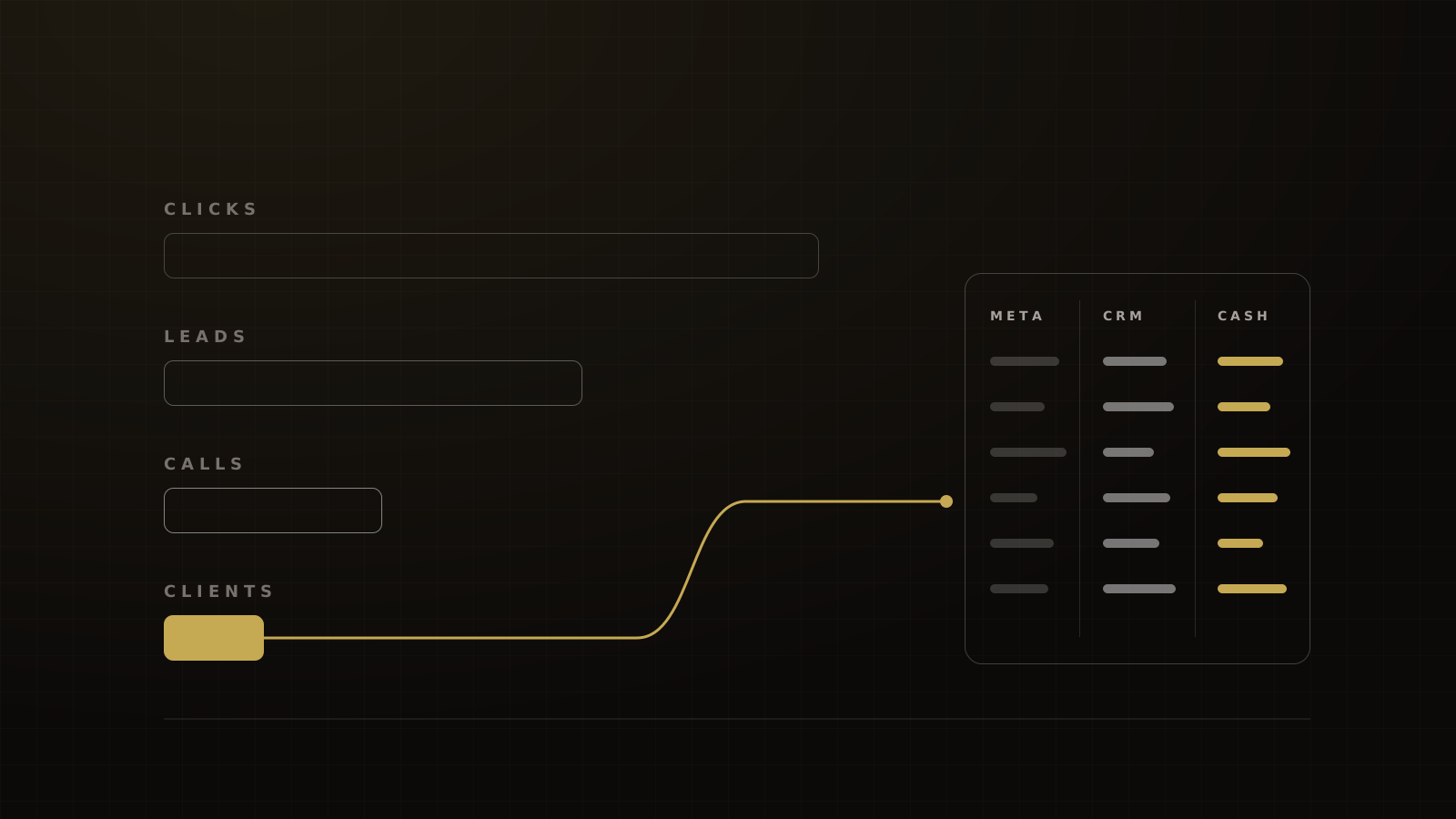
- The bigger win is sending CRM stages (booked, showed, closed) back to Meta, so it optimizes for buyers instead of form-fillers.
- For Instant Form leads, GoHighLevel's "Pipeline Stage Changed" workflow does this, if you have 200–250+ leads a month.[4][5]
- Website-form leads use a qualified-stage event instead. From April 2026, Meta's qualified-leads goal needs the Conversions API for new campaigns.[6]
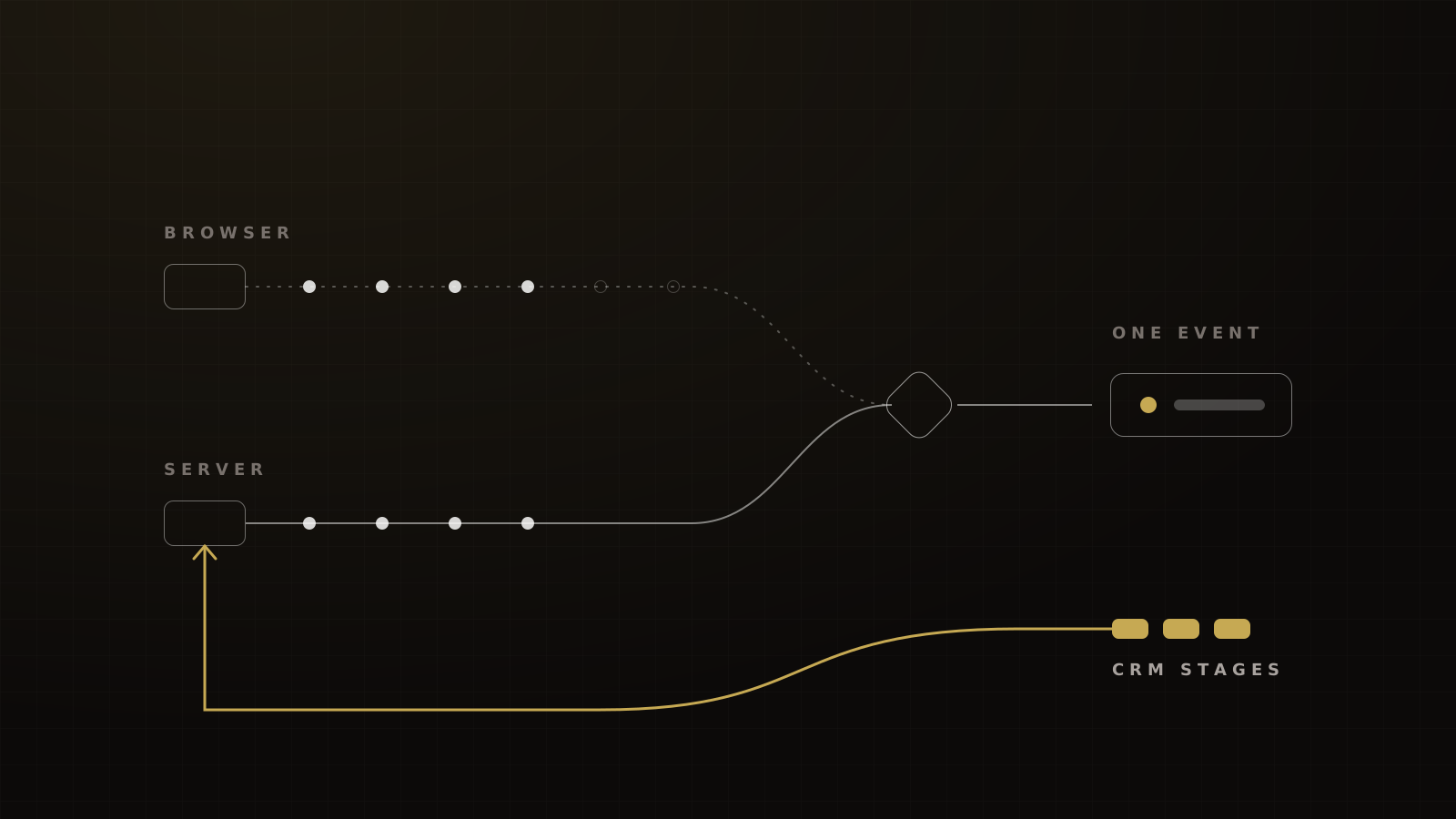
You need both the Pixel and the Conversions API. The Pixel catches events in the browser. The Conversions API (CAPI) sends the same events from your server, so fewer get lost. Meta discards the duplicate when the event name and event ID match within 48 hours.[1]
That part is table stakes. The part most setups skip is sending your CRM stages back to Meta. Booked, showed and closed are what let the algorithm look for buyers instead of form-fillers. Here's how the mechanics work and how we build it in GoHighLevel.
Pixel vs Conversions API: what each does
Meta recommends a redundant setup: Pixel and CAPI sending the same events.[7] Each covers the other's blind spots.
| Meta Pixel | Conversions API | |
|---|---|---|
| Where it runs | The visitor's browser | Your server, CRM or a gateway |
| What it catches | Page views, form submits, purchases on pages it loads on | The same web events, plus events the browser never sees (CRM stages, phone sales) |
| What it misses | Blocked scripts, closed tabs, embedded pages without the script | Anything you don't send it, and events without enough customer data to match |
| Who maintains it | Whoever edits the site | Whoever owns the server or CRM integration |
Browser-side losses are real. eyeo, which sells ad-filtering software, estimates 1.1 billion people used ad blockers in Q4 2025, about 30% of internet users.[8] Not every blocker stops the Pixel, but every one that does is a conversion Meta never learns from.
Most CAPI adopters keep the Pixel too. In an IAB survey, 67% of CAPI-adopting buy-side firms paired it with pixels.[9] That was 17 buy-side companies, mostly in connected TV, so read it as a direction, not a market share.
Meta's Conversions API Gateway is a self-serve way to send redundant web events without a developer. It runs on your own cloud account or a partner's, and it handles web events only.[10] It won't send GoHighLevel pipeline stages.
Deduplication: event_id, event_name and the 48-hour window
Meta treats a browser event and a server event as the same conversion when two things match: the event name (for example Lead) and the event ID. They have to arrive within 48 hours of each other.[1] If you can't pass an event ID, Meta can also deduplicate on the browser ID (fbp) or external_id.
The server-first edge case
There's a catch the setup screenshots skip. If the server event arrives and no matching browser event came in during the previous 48 hours, Meta keeps the server event.[1] That's usually what you want. But if the browser event arrives late, after a slow page or a retry, both can count.
When you still double-count
GoHighLevel says deduplication is handled automatically for its own funnel events through a shared event ID.[11] The trouble starts when a second system sends the same event without that ID:
- a Zapier or Make step that posts
Leadto Meta on form submit; - a second pixel pasted into the funnel's tracking code;
- an attribution tool such as Hyros sending conversions to Meta as well.
Pick one owner per event. Our Hyros review covers how to split duties between Hyros and native CAPI.
Check your setup in 10 minutes
Meta's Dataset Quality API exposes the same checks you can see in Events Manager.[3] Run through them before you trust any number.
CAPI setup check
- Event Match Quality. Meta typically recommends 6.0 or higher where possible.[2] Send hashed email and phone, plus
fbp,fbcandexternal_idwhere you have them. Meta publishes no "good" bands beyond that, so ignore anyone quoting one. - Event coverage. CAPI events as a share of unique Pixel events. Meta's goal is 75%, on a 7-day average.[3]
- Dedup-key coverage. The share of events carrying
event_id,external_idorfbp.[3] - Freshness. Server events should arrive in real time, not in a nightly batch.
- One owner per event. No second integration posting the same event without the shared ID.
Send GoHighLevel pipeline stages back to Meta
This is the part that changes who Meta finds. There are two paths, depending on where your leads come from.
Option A: Instant Form leads and conversion leads optimization
Meta's conversion leads optimization lets an Instant Form campaign optimize on a downstream CRM stage. Meta's requirements: 200 or more leads a month, daily uploads, a stage reached within 28 days of the lead, and a lead-to-stage conversion rate between 1% and 40%. It needs the Meta lead ID on each record.[4] GoHighLevel's walkthrough says 250 leads a month, so plan for the higher number.[5]
The GoHighLevel build:
- Lead Ads sync into GoHighLevel with the Meta lead ID on the contact.
- A pipeline mirrors your sales process: new, booked, showed, closed.
- A workflow triggers on Pipeline Stage Changed and fires the Meta Conversion API action for that stage.[5]
- In Ads Manager, the campaign optimizes on the stage you choose.
Option B: website funnels
Most coaching and event funnels use a website form, not an Instant Form. Meta's docs disagree here. The developer documentation still describes conversion leads as Instant Forms only.[4] A Meta Business Help Center page now says the "maximize number of qualified leads" goal works with both website forms and Instant Forms, reports a 9.5% lower cost per quality lead for website-form lead ads, and says new campaigns can't use the goal without the Conversions API from April 2026, with existing campaigns affected from August 2026.[6] Check what your own Ads Manager offers before you plan around it.
If the option isn't there, fire your own qualified-stage event. When a lead books, send a Schedule event through GoHighLevel's Meta Conversion API action. When they show, send a custom event. Then build a campaign that optimizes on it.
The event has to fire often enough to optimize on. Before we judge a new optimization event, we give it 7 days at the planned daily spend or about 50 events, whichever comes first. That matches Meta's learning phase, which usually ends after about 50 results in the week after a significant edit.[12] If "showed" fires 15 times a week, optimize on "booked" and keep sending "showed" as a signal.
For sales that close offline, on the phone or in person, CAPI's offline events path applies. Meta accepts events up to 7 days old and offline transactions within 62 days.[13] The legacy Offline Conversions API was deprecated in May 2025, so new builds go through CAPI.[14]
Gotchas
- Value only on Purchase. GoHighLevel sends value and currency only when the stage is named Purchase.[5] Name your closed-won stage accordingly, or Meta sees a sale worth nothing.
- The 28-day window. Stages reached after 28 days don't count for conversion leads.[4] A long sales cycle needs an earlier quality stage.
- Attribution on the contact. GoHighLevel's CAPI action needs an
fbclid,fbcor Facebook attribution already on the contact.[11] Contacts imported by CSV won't carry it.
Send only qualified conversions
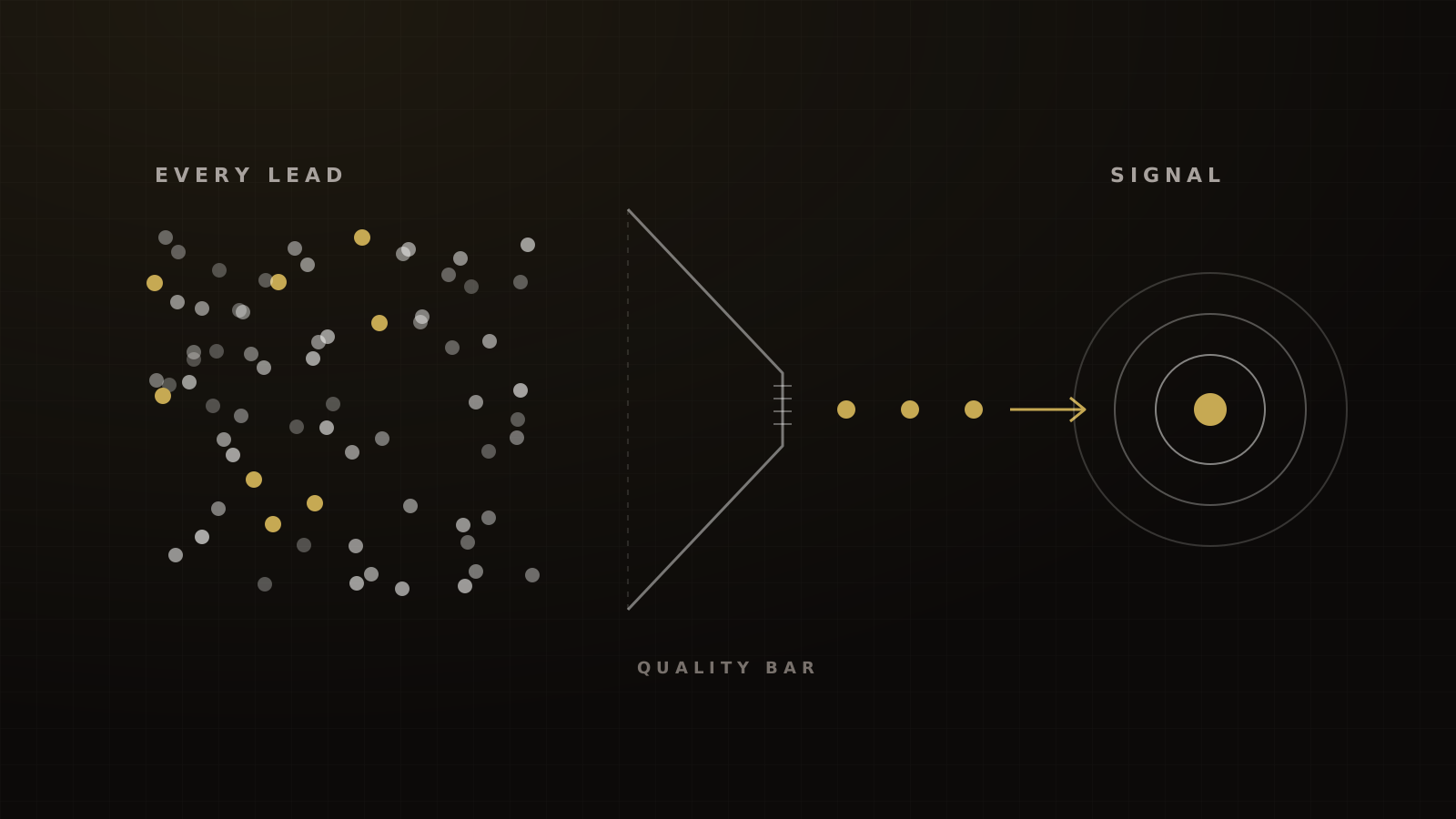
Meta optimizes toward whatever you tell it is a win. If every form fill fires a conversion, it finds more form-fillers.
So we don't fire the quality event on submit. We add a wait step, enrich the lead, check it against the financial-fit questions on the form, and only then send the event. As Devin Alexander, our CEO, puts it, that's how Meta will "start showing this ad to that person as opposed to the other person."
Choose the quality bar deliberately. One education advertiser in Meta's case library defined a qualified lead as someone who booked a sales call.[15] That's a good default for high-ticket coaching: specific, frequent and close to revenue.
Keep one pixel per avatar. If you sell a consumer program and a business program from one pixel, Meta learns a blend of two buyers. Our guide to feeding Meta better signals covers seeding new pixels and spotting dilution.
Fewer steps, cleaner signals
Every page in a funnel is another place for a script to fail, a redirect to strip the click ID, or an embedded form to lose the source. When we cut an event funnel from five steps to three, it helped conversion and it helped the pixel track. Keep the confirmation page; it's where the registration event fires reliably.
What results to expect
Meta's numbers point one way, with caveats on each.
- The 17.8% figure. Meta's CAPI page says advertisers with a CAPI web setup saw a 17.8% lower cost per result on average.[16] No method is disclosed, and it reads as an observational comparison.
- The older, method-disclosed figure. In 28 global A/B experiments from May to August 2022, Pixel plus CAPI improved cost per result by 13% against Pixel only.[17]
- The quality-lead goal. In a budget-controlled A/B test of 567 advertisers in January 2025, the qualified-leads goal cut cost per quality lead by 19% on average.[18] Both cells were already sending CRM data, so it tests the goal, not the install, and it covers Instant Forms only.
Lower cost per qualified lead, and more qualified leads, when an education advertiser optimized on CRM stages sent through the Conversions API
Single-advertiser tests go further. Besides the education test above,[19] a real-estate developer saw 75% more qualified leads and a 43% lower cost per lead with the conversion-leads goal and CRM data via CAPI.[20] An insurer's December 2024 test of Advantage+ sales with and without CAPI showed a 17% lower CPA, a 10% lower CPL and 40% more quality leads.[21] These are Meta-published wins, so treat them as possible, not typical.
Judge your own build on cost per qualified lead, not cost per lead. On the funnels we run, a curiosity-led cold opt-in typically costs $15–25 a lead, against LocaliQ's 2026 all-industry average of $27.39.[22] A setup that raises CPL but cuts cost per booked call is a win. Our guide to the KPIs that matter for event and webinar funnels covers what to report.
How we build it at Victory
Want to see how we'd wire this into your account? Book a strategy call and we'll show you how we build it.
Frequently asked questions
Sources
- 1.Handling duplicate Pixel and Conversions API events. Meta for Developers, living doc, checked 2026-10-04.
- 2.Verifying your Conversions API setup. Meta for Developers, living doc, checked 2026-10-04.
- 3.Dataset Quality API. Meta for Developers, living doc, checked 2026-10-04.
- 4.Conversion leads integration. Meta for Developers, living doc, checked 2026-10-04.
- 5.Facebook conversion leads walkthrough. HighLevel Support Portal, 2026-06-01 (updated).
- 6.Maximize number of qualified leads performance goal. Meta Business Help Center, living doc, checked 2026-10-04.
- 7.Conversions API best practices. Meta for Developers, living doc, checked 2026-10-04.
- 8.Ad-blocking report 2026. eyeo, 2026-05.
- 9.The role of Conversion API in closing the outcome gap for CTV. IAB, 2025-10.
- 10.Conversions API Gateway. Meta for Developers, living doc, checked 2026-10-04.
- 11.Facebook Conversions API trigger in workflows. HighLevel Support Portal, 2026-08-13 (updated).
- 12.About the learning phase. Meta Business Help Center, living doc, checked 2026-10-04.
- 13.Offline events (Conversions API). Meta for Developers, living doc, checked 2026-10-04.
- 14.Introducing Facebook Graph and Marketing API v20. Meta for Developers blog, 2024-05-21.
- 15.Talent Garden success story. Meta, undated (test 2024-12 to 2025-01).
- 16.Conversions API (product page). Meta, 2026-04-15.
- 17.ANZ seasonal sales marketing guide 2023. Meta (PDF hosted by Edita), 2023 (data May to Aug 2022).
- 18.Conversions API for CRM. Meta, undated (test 2025-01-13 to 2025-01-27).
- 19.IQ Academy success story. Meta, 2024 (test 2024-08-04 to 2024-08-12).
- 20.AP Thailand success story. Meta, undated (test 2024-05 to 2024-06).
- 21.Axis Max Life Insurance success story. Meta, undated (test 2024-12).
- 22.Facebook advertising benchmarks (2026 edition). LocaliQ, 2026-09-23.
- 23.Special ad categories. Meta for Developers, living doc, checked 2026-10-04.
Written by
Oussama El AlamiCTO & Lead Developer
Oussama leads technical architecture and development at Victory, building in GoHighLevel, n8n and custom environments. He has built more than 10,000 automations across CRMs, payments and messaging.
Part of the guide: Paid Ads for Coaches, Course Creators and Event Businesses: Meta, Creative and Attribution Tied to Cash