Apple Wallet and Google Wallet Event Tickets: Setup, Check-In Data and Reminder Automations
How to issue Apple and Google Wallet event tickets, update them after issue, track who saved them and chase the registrants who never did.
 Oussama El AlamiCTO & Lead Developer
Published 10 min read
On this page
Key takeaways
- A Wallet ticket won't make people show up by itself, and no credible study says it does.
- What it does give you: the ticket on the lock screen at the right time and place, updates after issue, and a signal for who saved it.[1]
- Apple's web service registers the pass with your server when it's added. Google can call your endpoint on every save and delete.[2][3] That's the trigger for chasing non-adders.
- For QR-scanned coaching events and workshops, use a standard event ticket pass, not Apple's new poster tickets.[4]
- In our experience, 40% to 55% of registrants add the pass when it's offered. That's a save rate, not a show rate.
A Wallet ticket won't make people show up by itself. We looked for a controlled study, or even an honest before-and-after, and found none. Vendors who claim big drops in no-shows don't publish the data behind them.
What a Wallet ticket does give an operator is three things an emailed PDF can't. The ticket appears on the phone's lock screen near the event. You can change the details after you've issued it. And you get a signal for who saved it and who checked in.
That last one is the marketing win. Anyone who never adds the pass goes into a follow-up sequence, and the scan at the door tells you exactly who came. It's one lever in the wider show-rate system we describe in our event marketing guide.
What a Wallet ticket does for an operator
Apple's Wallet supports an event ticket pass style. Passes can surface on the Lock Screen based on time and location, they can be distributed from an app, an email or the web, and they can be updated with a push.[1] Google's event tickets support entry by barcode, QR code or NFC, with real-time notifications and event updates.[5]
For the attendee, that means no searching an inbox at the door. For you, it means four things:
- Timing. The ticket shows up when and where it matters.
- Updates. A venue or time change reaches the pass itself.
- Save signals. You can tell who added the pass, and so who didn't.
- Scan data. Check-in at the door is a clean attended or not-attended record.
Mobile ticketing is spreading fast in sports, where Ticketmaster reported mobile ticketing adoption up 53% year over year across its partner leagues.[6] That's a growth rate with no base, and it isn't Wallet-specific. But attendees increasingly expect a ticket on the phone.
Setup: Apple Wallet
An Apple pass is a signed bundle with a pass.json file. You need an Apple Developer account, a Pass Type ID and a signing certificate. For an event, the key fields are:
eventTicket: the pass style.barcodes: the QR code your door staff scan.relevantDatesandlocations: when and where the pass should surface.relevantDatesreplaces the olderrelevantDate.expirationDateandvoided: to retire a pass after the event or on a refund.webServiceURLandauthenticationToken: so the pass can be updated and can register with your server.[7]
Set the web service up from day one. Without it, you can't update the pass and you can't see who added it.
Why not poster tickets
Most setup guides now show Apple's poster event tickets, the large artwork style. At WWDC25, Apple added upcoming-event support to them, so one pass can hold several dated events.[8] They look great, and for most coaching events they're the wrong choice.
Poster event tickets need iOS 26 or watchOS 26 and later, and Apple says they "aren't compatible with tickets that require a QR code or barcode for entry".[4] The semantic tags behind them are only for sports and live-performance tickets. Conferences, workshops and generic events use standard pass fields.[9] If staff scan a QR code at your door, issue a standard event ticket pass.
The HighLevel route vs a custom issuer
HighLevel now issues Apple and Google Wallet passes natively. Its help article, updated in September 2026, covers in-person events only (online events get no pass or QR check-in). The pass carries the same check-in QR code staff scan, each ticket in a multi-ticket order gets its own pass, and you insert the links in confirmation email, SMS or WhatsApp with {{event.ticket.wallet_links}}.[10]
What the article doesn't document is a saved-pass report. So our rule is simple:
- Use HighLevel's native pass when you need a ticket on the phone and QR check-in, and nothing more.
- Use a custom issuer when you need to know who saved the pass, so you can chase who didn't.
Our GoHighLevel guide covers where the native features end.
Setup: Google Wallet
Google models event tickets as a class (the event) and objects (each ticket). You issue the ticket with an Add to Google Wallet button or a signed link, delivered by web, email or SMS, and you can enable reminder notifications on the day of the event.[11]
Google Wallet also sends its own "upcoming" notification three hours before the event's start time, if the user has pass notifications on. It dismisses itself 60 minutes after start.[12] You can't change that timing, so it complements your own day-of reminders rather than replacing them.
Updating details after issue
Venues move and start times shift. A Wallet pass is the one ticket format you can fix after it's in the attendee's hands.
On Apple, your server sends an empty push notification and the device fetches the latest pass. Anything except the serial number and authentication token can change. Push updates only work in production, over HTTPS.[2]
On Google, a field update to the event name, venue, doors or start time, seat or gate only triggers a push if the event starts in 3 hours or less. You get at most 3 push-triggering updates per pass in 24 hours.[12]
And one rule applies to both. Apple's design guidelines say change messages are for time-critical changes: "Never use a change message for marketing or other noncritical communication."[13] Pass updates are for the venue and the time, not for the VIP upsell. Put that in email and SMS.
Chase the non-adders: the automation
Here's the part no setup guide covers. Each platform tells you, in its own way, when someone saved the pass.
- Apple: when a user installs an updatable pass, the device registers it with your web service, sending a device ID and a push token. When the pass is removed, it unregisters.[2]
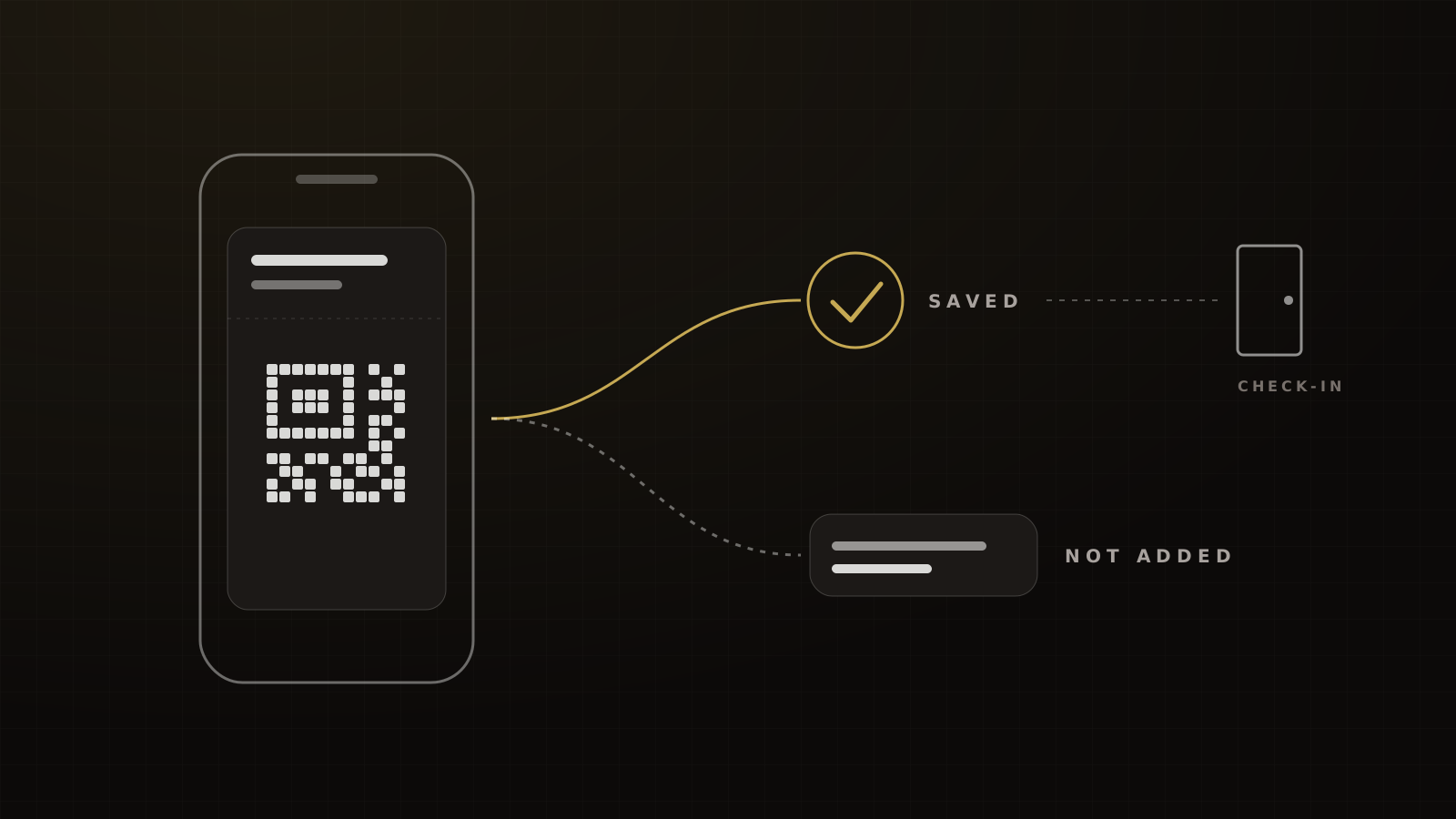
- Google: Google can POST to your HTTPS endpoint whenever a pass is saved or deleted, which it says can be used to keep track of user adds and deletions. Callbacks are best-effort and can arrive twice, so dedupe them.[3]
Be precise about what each signal means. A click on "Add to Wallet" is intent, not a save. A registration or a save callback is a save. A missing Google callback means "save not confirmed", not "never added". And only a scan at the door means attended.
Framework
The Wallet follow-up workflow
- Issue the pass on the confirmation page and in the confirmation text and email.
- Write the save signal to the CRM. Apple registration or Google save callback sets a "pass saved" field on the contact.
- Wait, then branch. After a set delay, anyone without "pass saved" gets a short text and email with the pass link again.
- Second chance on the day before. Still no save: send the ticket link and the address in plain text.
- Day-of reminders go to everyone, saved or not. Wallet pushes only reach people who saved the pass.[12]
- Scan at the door. Each check-in sets an "attended" tag.
- Branch the post-event sequence on that tag: offer follow-up for attendees, replay or next date for no-shows.
Victory's build pattern for owned event ticketing.
In our experience, 40% to 55% of registrants add the pass when it's offered on the confirmation page and in the confirmation text and email. The only public reference we found is Google's Oztix case, where 40% of Android users saved their tickets to Google Wallet.[14] That's a pass-save rate, not a show rate. We don't have a holdout test that shows what saving the pass does to attendance.
The follow-up texts only work if they arrive. Our target for reminder texts is 95% or more delivered, from a registered number with links on the brand's own domain. And more texts aren't automatically better: in a 2021 controlled test, one extra personal text on top of automated email and SMS reminders made no difference to attendance.[15] The texts in this workflow go only to people who haven't saved the ticket, which keeps them useful. The full timing is in our event reminder schedule.
QR check-in data you can actually use
The scan is the cleanest data point in the whole event. It splits your registrants into two lists that need completely different messages.
- Attended: they heard the offer. Follow up on it.
- Registered, didn't attend: they never heard it. Send the replay, or invite them to the next date.
It also gives you a true show rate. PheedLoop's 2026 data puts the median free live event at about 28% no-show, measured from check-ins.[16] You can only compare yourself with numbers like that if you scan everyone. Our guide to why people register and don't show up covers what to fix once you can see the gap, and our event statistics roundup lists the benchmarks.
Why we own our ticketing
Marketplaces bring an audience. They also limit what you can track.
Eventbrite's Meta pixel automatically fires PageView on the listing and Purchase on order completion, with an optional server-side Conversions API token. Its help center lists the limits: users with tracking disabled aren't tracked, pixels are disabled on embedded checkout in Europe and the UK, you can't verify the domain of an Eventbrite event with Meta, and Eventbrite can't help with attribution.[17]
That's workable for simple events. For a funnel that sells from stage, we want the registration page on a domain we can verify, full-funnel events (Lead, add to cart, custom events) sent to Meta, pass-save signals and check-in scans landing in the same CRM as the sales calls. On a typical event build, the save callbacks, follow-ups and post-event branches sit among the 12 to 20 workflows we set up on day one.
What Wallet tickets don't prove
Passmint, a pass vendor, says Wallet passes cut no-shows by up to 30%. It names no operators, shows no before-and-after data and has no control group.[18] Google's partner case studies are more careful: Philharmonie de Paris saw 35% of spectators adopt the pass, Radio France cut access-control time by 30%, and Oztix saw 40% of Android users save tickets.[14] Not one reports a change in attendance.
Apple's own support page describes adding passes from an app, email or notification, and notes that ticket sharing only works if the issuer enables it.[19] Nothing there promises attendance either.
So sell the pass internally for what it is: a better ticket, a fixable ticket and a data source. If you want help building the save-tracking version, book a strategy call and we'll show you how we build it.
Frequently asked questions
Sources
- 1.Get started with Wallet. Apple Developer, undated, checked 2026-10-04.
- 2.Adding a web service to update passes. Apple Developer, undated, checked 2026-10-04.
- 3.Add and delete callbacks (event tickets). Google for Developers, current 2026, checked 2026-10-04.
- 4.Creating a poster event pass using semantic tags. Apple Developer, current 2026, checked 2026-10-04.
- 5.Google Wallet tickets. Google for Developers, undated, checked 2026-10-04.
- 6.2025 Nexus State of Ticketing. Ticketmaster Business, 2025-05-20.
- 7.Pass (pass.json reference). Apple Developer, undated, checked 2026-10-04.
- 8.What's new in Wallet (WWDC25 session 202). Apple Developer, 2025-06.
- 9.Defining the metadata of your Wallet pass. Apple Developer, current 2026, checked 2026-10-04.
- 10.How to add event tickets to Apple Wallet and Google Wallet. HighLevel Support Portal, 2026-09-17.
- 11.Event tickets overview. Google for Developers, current 2026, checked 2026-10-04.
- 12.Trigger push notifications (event tickets). Google for Developers, current 2026, checked 2026-10-04.
- 13.Human Interface Guidelines: Wallet. Apple Developer, current 2026, checked 2026-10-04.
- 14.Google Wallet partner case studies. Google for Developers, undated, checked 2026-10-04.
- 15.You don't have to tell me twice: additional text message reminders for confirming volunteer attendance. Sister District Project (now States Win), 2021-05-18.
- 16.Event Data Lab #05: no-show rates by ticket type and event size. PheedLoop, 2026-04-29.
- 17.How to create a tracking pixel with Facebook. Eventbrite Help Center, undated, checked 2026-10-04.
- 18.Cutting event no-shows with wallet passes. Passmint, 2026-03-30.
- 19.Add, use, and share tickets and passes in Apple Wallet. Apple Support, current 2026, checked 2026-10-04.
Written by
Oussama El AlamiCTO & Lead Developer
Oussama leads technical architecture and development at Victory, building in GoHighLevel, n8n and custom environments. He has built more than 10,000 automations across CRMs, payments and messaging.
Part of the guide: Event Marketing for Coaches and Experts: Fill the Room, Raise Show Rates and Monetize Free Events