Why Your Emails Go to Spam (and Why They Should Get Uglier While You Fix It)
The four causes we find behind most spam-folder problems, the recovery order that fixes them, and why plainer emails help while your domain heals.
 Ray GillespieCo-Founder & COO
Published 8 min read
On this page
- Diagnose before you fix
- Step 1: restore the footer and one-click unsubscribe
- Step 2: remove invalid and dead addresses before the next send
- Step 3: send uglier emails to your best contacts
- Step 4: test before every send, then scale back up
- Myths the top results still repeat
- What it costs you when reminders land in spam
Key takeaways
- Most damaged senders we audit have the same four problems: a missing or broken unsubscribe footer, too many invalid addresses, heavy image-led HTML sent to disengaged contacts, and no inbox test before sending.
- Fix them in that order: footer, list, content, testing. Every non-compliant send in the meantime adds to the damage.
- The footer rule is CAN-SPAM plus the Gmail and Yahoo sender rules, not the TCPA. Gmail has been rejecting non-compliant mail since November 2025.[1]
- Even senders who test lose about one email in eight: 2025 global inbox placement was 87.2%.[2]
- Send uglier emails while you recover. Google doesn't penalize images, but plain emails have less to break and tend to get more clicks.[3]
- A reminder that never lands is a no-show you paid for.
Your emails go to spam because something about the sender looks untrustworthy to the mailbox provider, and the same four things cause it on almost every account we audit. The unsubscribe footer is missing or broken. The list is carrying invalid addresses. The emails are heavy, image-led templates sent to people who stopped opening. And nobody tests where an email lands before it goes out.
Fix them in that order. And while you do, make your emails plainer, not prettier.
Every email you send is compounding the problem.
That's the reason to stop and fix before the next launch email, not after. Here's how we diagnose a damaged sender and the recovery order we run.
Diagnose before you fix
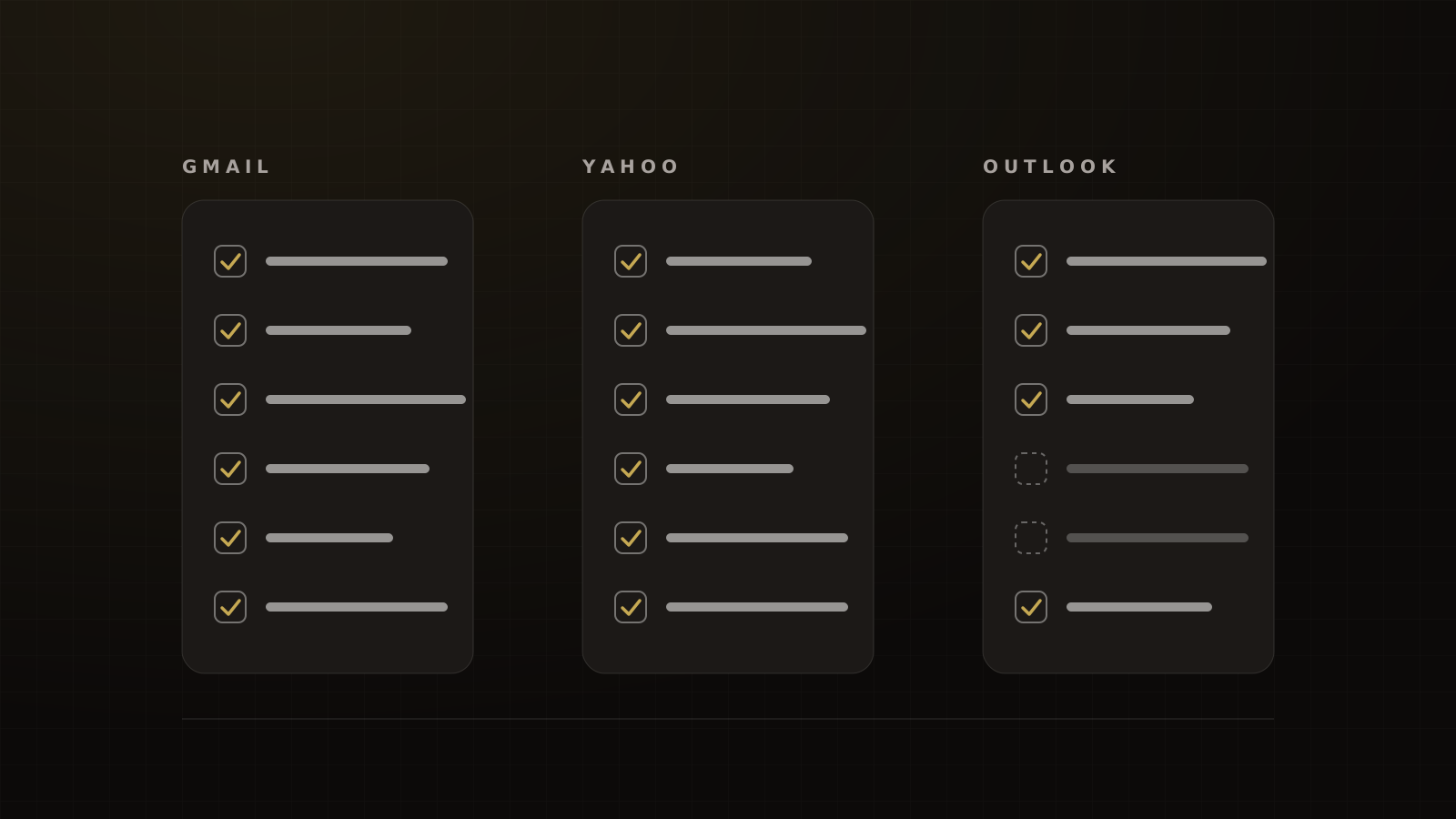
Start with where you're failing, because each provider tells you different things. For context, Validity's 2026 benchmark report put global inbox placement at 87.2% in 2025, with 6.6% landing in spam and 6.1% missing entirely. By provider: Gmail 89.8%, Yahoo 87.3%, Apple 82.0% and Microsoft 77.4%.[2] Those are seed tests from senders who measure, so most real senders do worse.
Gmail: Postmaster Tools v2 compliance and spam rate
Google's rule for user-reported spam is to stay below 0.1% and never reach 0.3%.[1] On the domains we manage, we keep it under 0.1%, and we treat 0.3% as the wall, not a target.
Postmaster Tools v2 has a compliance dashboard that marks each requirement as Compliant, Needs work or No data found: SPF and DKIM, DNS, formatting, encryption and spam rate for everyone, plus DMARC, one-click unsubscribe and honoring unsubscribes for bulk senders.[4] Start there.
One trap: guides that tell you to "check your domain reputation in Postmaster" point at a dashboard Google is retiring. The Domain and IP Reputation dashboards won't carry over to v2.[5]
Outlook: SNDS and the 550 5.7.515 bounce
Since 2025-05-05, Outlook.com rejects mail from domains sending more than 5,000 messages a day that fail its authentication requirements, with the bounce "550; 5.7.515".[6] If you see that code, fix SPF, DKIM and DMARC first; our SPF, DKIM and DMARC guide covers it for GoHighLevel. Microsoft's SNDS shows per-IP reputation and junk reports for Outlook.com, which is most useful if you send from a dedicated IP.[7]
Yahoo: Sender Hub
Yahoo's rules require SPF and DKIM, a passing DMARC record at least at p=none, a one-click unsubscribe honored within 2 days, and a spam rate below 0.3%.[8]
Seed-test your inbox placement
Send the email to seed addresses across the major providers and see where it lands. Most senders never do this. In Sinch Mailgun's survey of senders in late 2025, only 25% used seed mailbox tests, and 6% didn't measure deliverability at all.[9] We use Mailgenius for quick tests; any seed-testing tool works if you run it every time.
Step 1: restore the footer and one-click unsubscribe
This is the cheapest fix and the one we find missing most often. One educator's templates had no unsubscribe footer at all. As we put it on that audit, leaving it out was "obliterating your email deliverability."
The footer is law, not decoration. CAN-SPAM requires a valid physical postal address and a clear way to opt out, honored within 10 business days, with the opt-out working for at least 30 days after the send. Penalties run up to $53,088 per email.[10] The FTC confirmed in September 2026 that the 2025 penalty levels still apply for 2026.[11] Experian agreed to pay $650,000 in 2023 over marketing emails consumers couldn't opt out of.[12]
That rule is CAN-SPAM. It isn't the TCPA, which governs calls and texts. We see the two confused on audits constantly.
The mailbox providers add their own layer. Gmail requires bulk senders, roughly 5,000 or more messages a day to personal Gmail accounts, to support one-click unsubscribe on marketing mail[13] and recommends honoring unsubscribes within 48 hours; transactional messages are excluded.[1] One-click means the List-Unsubscribe-Post header defined in RFC 8058, covered by your DKIM signature.[14] Yahoo's window is 2 days.[8]
Note how Gmail counts volume: everything sent from the same primary domain counts toward the 5,000, and bulk status doesn't expire.[1] Your CRM, webinar platform, checkout receipts and community tool all share one reputation. Check that every one of them carries the footer. Our bulk sender checklist has the full list.
Step 2: remove invalid and dead addresses before the next send
Every bounce tells the provider you don't know who you're mailing. Healthy senders bounce very little: across more than 400 billion emails in Sinch Mailgun's 2025 data, industry bounce rates ran from 0.01% to 0.18%.[15] If your list bounces at 2% or more, clean it before you send anything else.
Old lists are usually worse than people think. ZeroBounce reports that nearly a quarter of the addresses submitted to it for cleaning in 2025 came back invalid or risky.[16] Lists sent for cleaning skew dirty, so treat that as a ceiling, not your decay rate.
Run the whole list through a validation service, suppress the invalid and risky addresses, and suppress anyone who hasn't opened or clicked in months. Google's own guidance is to send only to people who signed up and to cut volume if you see bounces or deferrals.[13] The same discipline applies to texting; our SMS pre-flight checklist is the phone-list version.
Step 3: send uglier emails to your best contacts
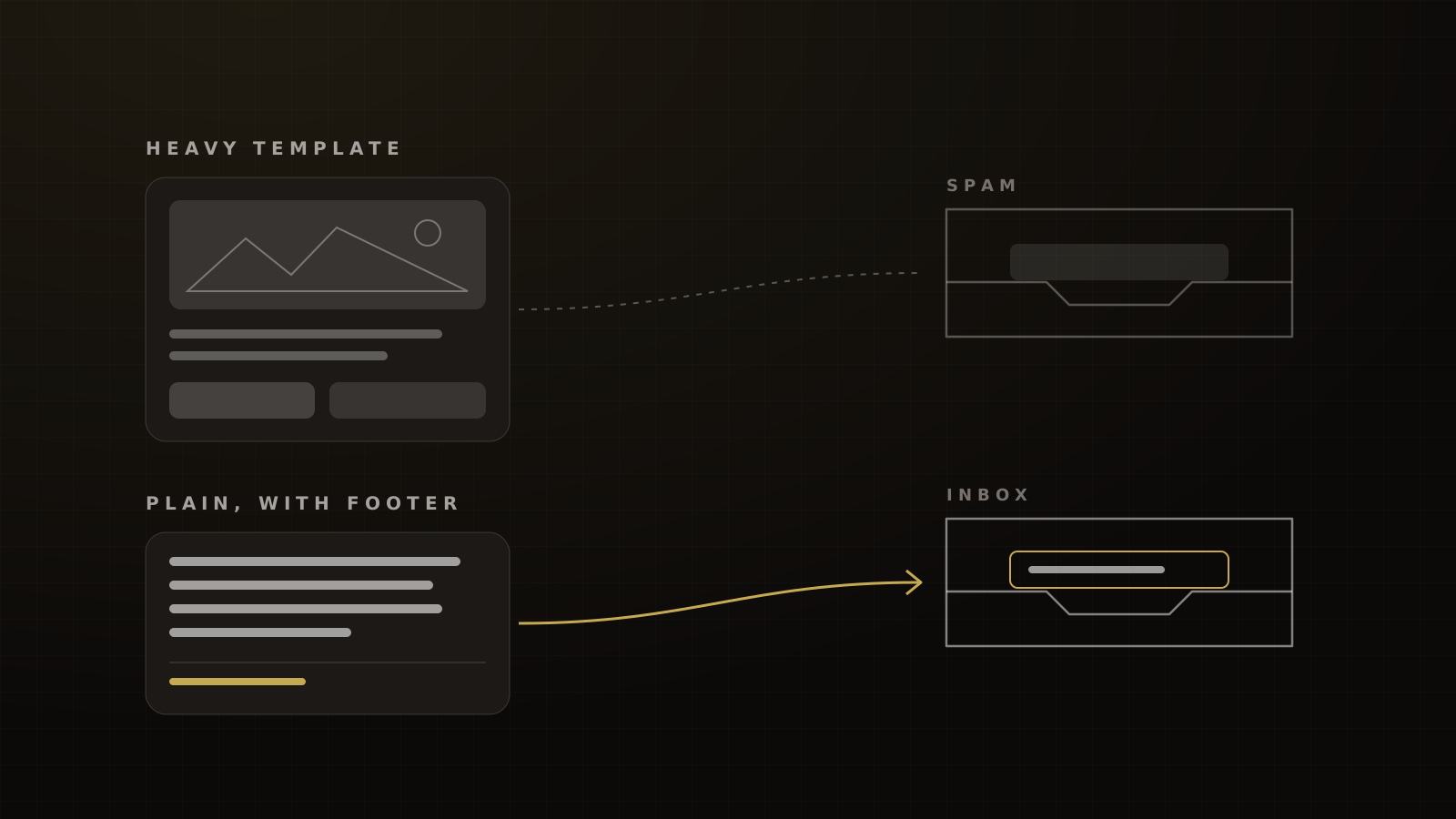
This is the contrarian part, and it's our operating tactic, not a Google rule. While a domain recovers, we strip the templates down: no hero images, no GIFs, light HTML, a few links on the brand's own domain, the footer intact. They look like a note from a person.
Google doesn't say images or HTML are penalized. It says don't hide content with HTML or CSS, keep links visible, don't mix promotions into receipts, and start low with engaged users before ramping up.[13] Plain emails do all of that by default. There's less markup to break, nothing hidden, and the footer can't get clipped: Gmail clips messages over 102KB of code behind "View entire message", which can hide the unsubscribe link in a heavy template.[17]
Plainer emails also tend to engage better. In HubSpot's tests, a plain-text email got 42% more clicks than a GIF version, and an image-heavy HTML template got 51% fewer clicks than plain text.[3] That's clicks, not inbox placement, and the tests are undated. But engagement is the signal providers watch, so it points the right way.
Send these to your most engaged contacts first: recent registrants, buyers and anyone who clicked in the last few weeks. Story-led emails in the spirit of Russell Brunson's Soap Opera Sequence suit this well, because they read like personal notes and give people a reason to reply. Then widen the audience slowly.
Step 4: test before every send, then scale back up
Seed-test every send while you recover, not just the first. Our line before scaling volume back up is 90% or better inbox placement on pre-send seed tests for the domains we manage, above the 87.2% global figure and Gmail's 89.8% in Validity's data.[2] Below that, we hold volume where it is and keep fixing.
No mailbox provider publishes a recovery timeline, so don't trust anyone who promises one. Recovery comes from delivered, engaged sends over time. Raise volume in steps and watch the spam rate after each one.
Myths the top results still repeat
- "Keep a 60/40 text-to-image ratio." We found no source for it.
- "Emails over 102KB go to spam." That's Gmail clipping the display, not spam placement.[17]
- "Avoid spam trigger words." An observational study of 774,828 emails in early 2026 found 21.7% spam placement for emails with discount words and 22.7% without.[18] It isn't causal, but the word list isn't your problem.
- "Lists decay 22.5% a year." We couldn't trace it to an original study.
What it costs you when reminders land in spam
Deliverability is attendance. The symptom clients bring us usually isn't "our emails go to spam." It's "nobody's signing up, nobody responds."
When the emails arrive, a warm list should show up. In our experience, a free live webinar sent to a warm or house list gets 40–50% of registrants live, in line with Goldcast's 40% average for B2B webinars in 2025[19] and Livestorm's 47.7%.[20] A free one-day in-person event run well shows 35–45% of registrants on the events we run; PheedLoop's 2026 data put the median no-show for free events at about 28%.[21] Every reminder in spam pulls those numbers down. Our guide to event show rates covers the rest of the system.
For the full picture across email and SMS, start with our deliverability and compliance guide. If your launch emails have stopped landing, book a strategy call and we'll audit the sender with you.
Frequently asked questions
Sources
- 1.Email sender guidelines FAQ. Google Workspace Admin Help, living page, checked 2026-10-04.
- 2.2026 Email Deliverability Benchmark Report. Validity, 2026-03.
- 3.Plain text vs. HTML emails: which is better?. HubSpot Blog, updated 2025-06-13 (tests undated).
- 4.Postmaster Tools: compliance status dashboard. Google Workspace Admin Help, living page, checked 2026-10-04.
- 5.Postmaster Tools v2 FAQ. Gmail Help, undated, checked 2026-10-04.
- 6.Strengthening the email ecosystem: Outlook's new requirements for high-volume senders. Microsoft Defender for Office 365 Blog, 2025-04-02, updated 2025-04-29.
- 7.Smart Network Data Services (SNDS). Microsoft, living page, checked 2026-10-04.
- 8.Sender best practices. Yahoo Sender Hub, living page, checked 2026-10-04.
- 9.2026 Email Impact Report: the deliverability impact. Sinch Mailgun, 2026.
- 10.CAN-SPAM Act: a compliance guide for business. Federal Trade Commission, 2023-08, edited 2024-01, checked 2026-10-04.
- 11.Adjustments to civil penalty amounts (2026 notice). Federal Trade Commission, Federal Register Vol. 91 No. 177, 2026-09-15.
- 12.FTC charges Experian with spamming consumers who signed up for accounts with marketing emails they couldn't opt out of. Federal Trade Commission, 2023-08-14.
- 13.Email sender guidelines. Gmail Help, living page, requirements dated 2024-02-01, checked 2026-10-04.
- 14.RFC 8058: Signaling one-click functionality for list email headers. IETF / RFC Editor, 2017-01.
- 15.2026 Email Impact Report: email benchmarks. Sinch Mailgun, 2026-06.
- 16.Email List Decay Report 2026. ZeroBounce, 2026-02-26, checked 2026-10-04.
- 17.How to keep Gmail from clipping your emails. Litmus, 2024-02-29, checked 2026-10-04.
- 18.Spam trigger words: a data study. InboxEagle (vendor blog), 2026-05-01, updated 2026-08-17.
- 19.2026 B2B Webinar Benchmark Report. Goldcast, 2026.
- 20.Webinar Benchmark Report 2026. Livestorm, 2026-09-01.
- 21.Event Data Lab #05: no-show rates by ticket type and event size. PheedLoop, 2026-04-29.
Written by
Ray GillespieCo-Founder & COO
Ray runs day-to-day operations across every Victory engagement, building the systems, automations and AI-powered workflows that hold the machine together. He has overseen operations behind more than $120M in revenue.
Part of the guide: Deliverability and Compliance in 2026: Gmail, Yahoo and Microsoft Sender Rules, A2P 10DLC and the TCPA