Feed Meta Better Signals: Qualified Conversions, Seeded Pixels and When Your Pixel Is Diluted
Meta finds more of whatever you call a conversion. How to send back only qualified leads, seed lookalikes with buyers, and diagnose a CPL spike in order.
 Marius BulaiCMO & Head of Paid Media
Published 10 min read
On this page
Key takeaways
- Meta finds more of whatever you tell it counts as a conversion. If every form fill counts, it finds more people who fill in forms.
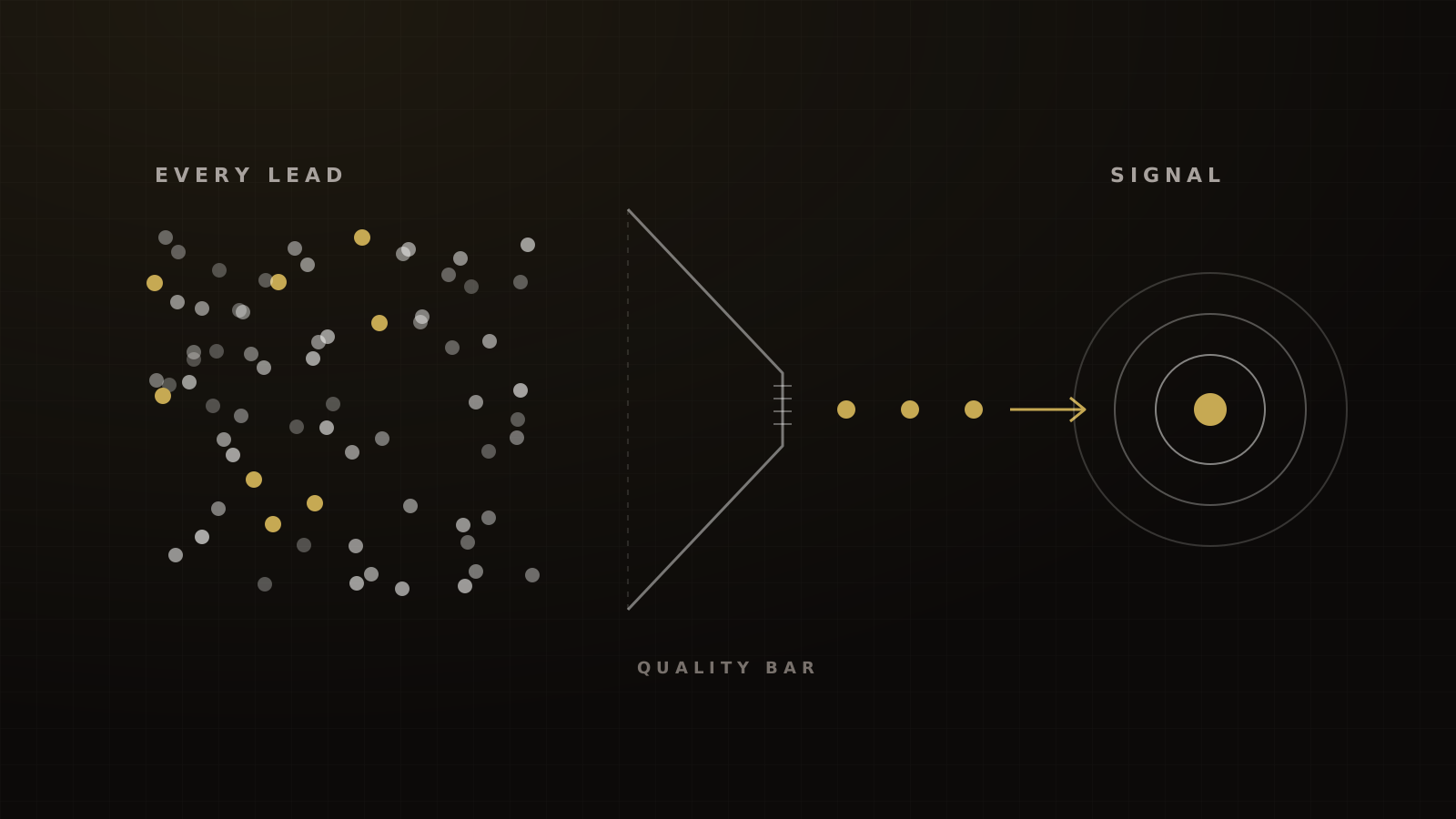
- Fire the conversion only after a lead passes your quality bar. In a 2024 Meta A/B test, an education advertiser that optimized on CRM-qualified leads cut its cost per qualified lead by 37%.[1]
- Seed lookalikes from your best recent buyers. Meta's minimum is 100 people, and it generally recommends 1,000 to 5,000.[2]
- When CPL spikes with nothing changed, check in order: creative fatigue, market price, signal quality, and only then the pixel. Meta's average price per ad rose 12% year over year in both Q1 and Q2 2026.[3][4]
- Never build the quality bar on health or financial status. Meta flags and restricts audiences and conversions that suggest either.[5]
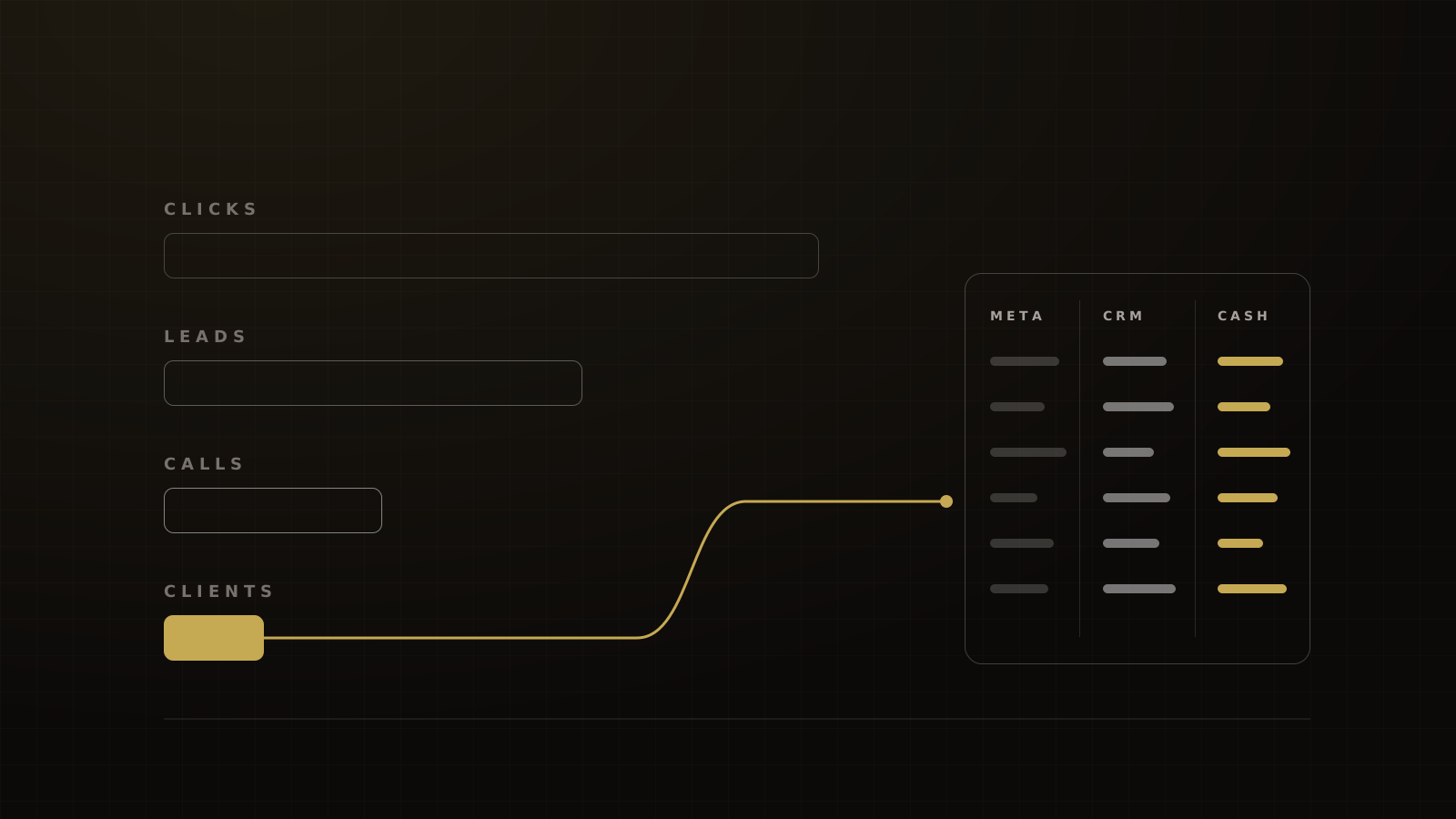
Meta isn't finding bad leads by accident. It's finding exactly what you told it to find. So fix the signal before you blame the pixel: send back only conversions that meet a quality bar, seed lookalikes with your best recent buyers, and keep one pixel per avatar.
And when cost per lead jumps with nothing changed, rule out creative fatigue and market prices first. A "diluted" pixel is the last explanation to reach for, not the first.
The short answer
- Define a qualified conversion and optimize on that, not on every submit.
- Seed audiences with buyers, not leads.
- Keep one dataset per avatar or major offer.
- Diagnose cost spikes in order: creative, price, signal, pixel.
Meta optimizes on what you send it
Every optimization event is an instruction. Run a Leads campaign that counts every form submit, and Meta goes looking for people who submit forms. A lot of them submit every form they see.
Send back only the leads that meet your bar, and the instruction changes. As our CEO Devin Alexander puts it, Meta will "start showing this ad to that person as opposed to the other person."
This matters more every year, because your audience settings do less of the targeting. With Advantage+ audience, your custom audiences and lookalikes are suggestions, and Meta says those suggestions "don't always constrain your audience."[6] The conversion event you choose is now doing much of the work your targeting used to do.
Send back only qualified conversions
Option A: conversion leads optimization
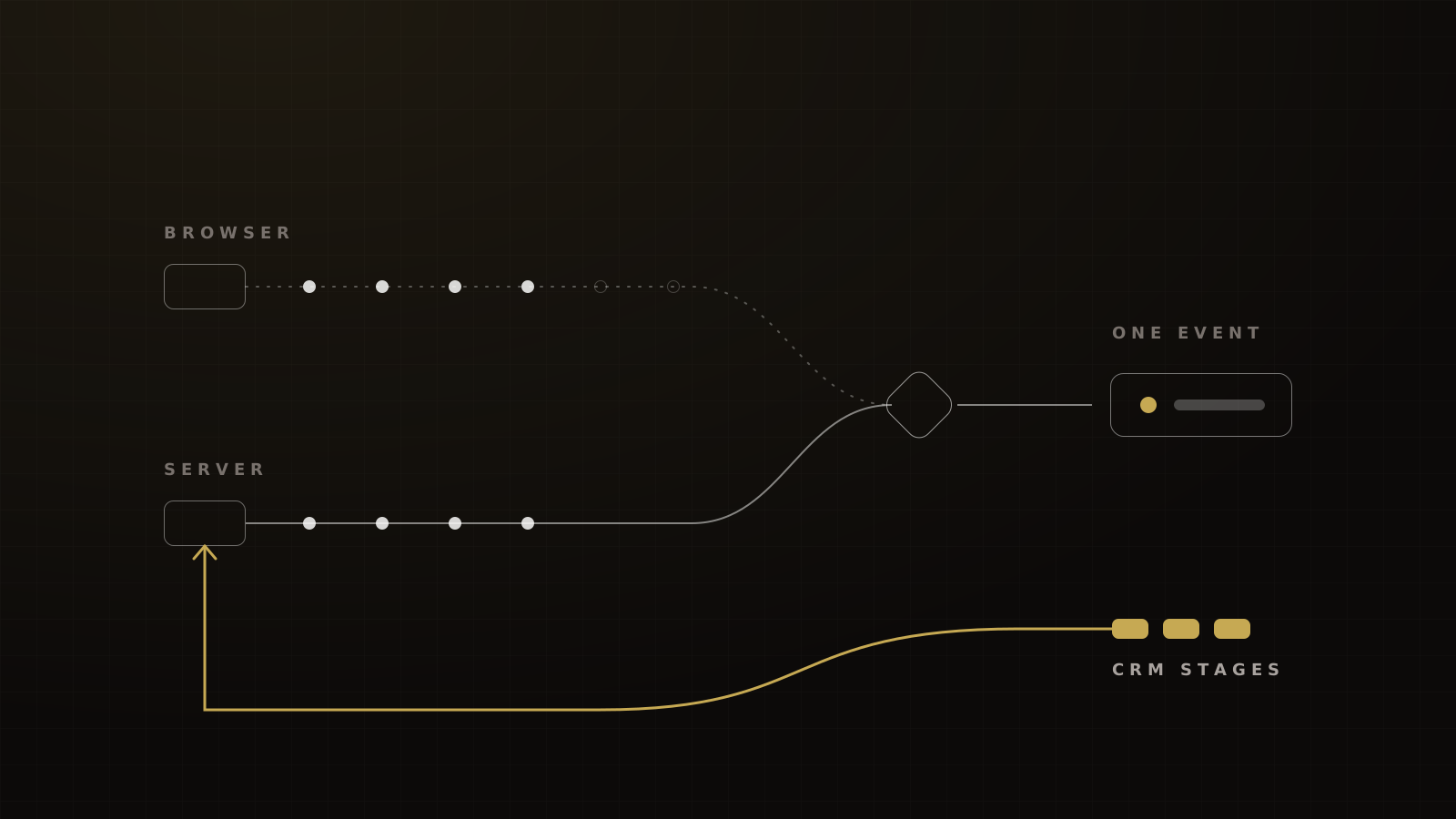
If you run Instant Forms, Meta has a native path. Conversion leads optimization takes CRM stage changes through the Conversions API, then optimizes for leads that reach a later stage, such as "booked" or "attended."
Meta's developer docs set the bar at 200 or more leads a month, daily uploads, a target stage reached within 28 days, and a stage conversion rate between 1% and 40%.[7] HighLevel's walkthrough says 250 leads a month, so plan for the higher figure.[8]
Meta reports that advertisers using the Conversions API for CRM with a conversion leads goal see 19% lower cost per quality lead on average, without showing the method.[9] A cleaner example is a single education advertiser's A/B test from August 2024.
Lower cost per qualified lead, with 76% more qualified leads, when an education advertiser optimized on CRM-qualified leads instead of lead volume
Our Conversions API guide for GoHighLevel walks through the pipeline-stage setup.
Option B: delay and qualify the website conversion event
Most event and webinar funnels we run use landing pages, not Instant Forms. There, we don't optimize on the raw submit.
Framework
Wait, enrich, fire
- Capture the registration. The pixel records the page view and submit as usual, but the ad set doesn't optimize on them.
- Add a short wait step in the CRM. Minutes, not days.
- Enrich and check the lead. Answers to the soft qualifying questions on the form, a validated phone number, lawful third-party data on business fit.
- Fire a qualified event through the Conversions API only if the lead meets the bar.
- Optimize the ad set on that qualified event.
Victory's qualified-conversion setup for landing-page funnels.
Speed matters. For Leads-objective ads, Meta recommends sending Conversions API web events within one hour, with seven days as the maximum.[10] Don't route the qualified event through offline custom events either. Meta says those can't be used for optimization or custom audiences.[11]
There's a volume trade-off. A stricter bar means fewer events, and an ad set needs about 50 results in the week after its last significant edit to exit learning.[12] Our house rule before scaling is to stress-test for 7 days at the planned daily spend on a capped audience, or until about 50 optimization events. If your bar cuts you well below that, loosen it or move the event one step earlier.
The questions themselves are cheap. Our rule of thumb is that adding 2 or 3 soft qualifying questions to a free event registration form costs no more than 10% of registrations. There's no credible industry benchmark for this, so test it on your own form.
What you can't use as the quality bar
Meta's Business Tools terms say names and criteria for events, conversions and custom audiences "must not reflect, imply, or be based on" prohibited information, which includes health and financial information.[13]
Enforcement tightened in 2025. From September 2, 2025, according to LiveRamp's notice of Meta's change, flagged custom audiences can't be used in new campaigns and flagged custom conversions stop receiving data.[14] Meta's own help page uses arthritis and credit score as examples, and says a flagged seed audience also blocks its lookalikes.[5]
So a "qualified lead" event built on income, credit score or a health condition can be shut off, and renaming it doesn't help. Build the bar on behavior and fit instead: answered the questions, valid phone, booked a call, attended, bought.
Special ad categories add their own limits. Housing, employment, financial products and services, and political ads can't use lookalikes, and targeting is restricted to all genders, ages 18 to 65+, and a 15-mile minimum radius.[15]
Seed lookalikes with your best recent buyers
Meta's rules are simple. The source needs at least 100 people. A seed built from campaign conversions needs 100 conversions, with 200 or more recommended, and the lookalike ratio runs from 1% to 20%.[16] The Help Center adds that Meta generally recommends 1,000 to 5,000 people and that populating can take up to three days.[2]
Above the minimum, we care more about what's in the seed than how big it is. A seed of every lead you've ever collected teaches Meta what your average lead looks like. A seed of recent buyers teaches it what a buyer looks like. Meta publishes no recency rule. The preference for recent buyers is ours, and we test it against Meta's broader delivery rather than assume it wins.
The mechanics:
- Hash the list. Meta requires SHA-256 hashing, takes up to 10,000 records per upload call, and can take up to 24 hours to apply changes.[17]
- Add value where you have it. A value-based customer file can seed a value-based lookalike, so Meta weights your biggest buyers more heavily.[17]
- Expect Meta to wander. Under Advantage+ audience, the lookalike is a suggestion, not a fence.[6]
One pixel per avatar
Meta suggests separate datasets when a business has more than one website or more than one major product or service.[18] It never uses the word "dilution." "One pixel per avatar" is our practice, built on that guidance.
Here's why. A business selling a $47 starter product to beginners and a high-ticket program to established owners has two buyers. Eugene Schwartz's awareness levels explain the gap: they sit at different stages, respond to different messages and convert on different events. One dataset trained on both learns a buyer who doesn't exist.
CPL spiked and nothing changed: a decision guide
First, know what normal looks like. On the funnels we run, cold Meta CPL for a curiosity-led event opt-in is $15 to $25, and a free in-person event registration costs $18 to $24. LocaliQ's 2026 averages for lead campaigns are $27.39 across all industries and $26.31 for Education and Instruction.[19] A CPL inside your own historical range isn't a spike.
Then check the "Last significant edit" column. Changes to targeting, creative or the optimization event, a new ad, a pause of seven days or more, or a new bid strategy send an ad set back into learning, and so can a big enough budget change.[20] "Nothing changed" often means something did.
| Symptom | Likely cause | First move |
|---|---|---|
| CTR falling, CPM steady, same ads running for weeks | Creative fatigue | New creative and new hooks |
| CPM up, CTR and conversion rate steady | Market price or season | Hold, or shift budget to the best ad sets |
| Conversions down, but CRM shows normal lead flow | Broken signal | Fix tracking and deduplication |
| All three ruled out, two avatars on one dataset | Muddled learning | New qualified event, reseeded lookalikes |
Our diagnostic order. Work down the rows and stop at the first one that explains the spike.
Step 1: creative fatigue
Meta now labels this for you. "Creative limited" means cost per result is above your past ads but under twice as high. "Creative fatigue" means it has reached twice or more, counting recent exposures across the Page's campaigns.[21]
The underlying effect is large. Meta's own analysts found that after four repeated exposures to the same creative, the likelihood of a conversion drops by about 45%, and they found no evidence of "wear-in."[22]
On a working event ad, we typically see cold link CTR of 1.8% to 2.5%, against LocaliQ's 1.74% for Education and Instruction lead campaigns.[19] If CTR slides while CPM holds, it's the creative. Follow Alex Hormozi's fatigue order and change the cheapest thing first: the creative, then the copy, then the headline, and the offer last. Our hook formats for coaches are where we start the refresh.
Step 2: market price
Sometimes it's just the market. Meta's average price per ad rose 12% year over year in Q1 2026 and again in Q2 2026.[3][4]
Seasons move it too. Gupta Media's tracker put the average CPM at $13.42 in Black Friday week 2024 and $17.70 on Cyber Monday, against a 2024 average of $7.43.[23] But it isn't a law: Tinuiti measured Meta CPM down 7% year over year in Q4 2025, with Facebook down 13%.[24] If CPM rose and CTR and conversion rate held, you're paying more for the same result. That's price, not the pixel.
Step 3: signal quality
Open Events Manager before you rebuild anything. Meta's Dataset Quality API scores event match quality from 0 to 10, sets a goal of 75% event coverage (Conversions API events against unique pixel events, on a seven-day average), and reports deduplication key coverage.[25] Meta deduplicates browser and server events by matching event_id and event_name within 48 hours.[26]
The usual breaks are mundane: a form moved into an iframe, a changed thank-you page, an expired access token, or the same purchase counted twice. If you can't see which ad produced a sale, read our Hyros review on attribution before you touch the dataset.
Step 4: a diluted pixel
"Pixel dilution" is practitioner shorthand, not a Meta term, and no controlled study shows a new pixel beating a corrected setup. When we say it, we mean a dataset that has learned the wrong buyer: two avatars mixed together, or years of unqualified events. We've seen it at an e-commerce education company whose ad costs doubled with nothing changed, after creative, price and signal all checked out.
A fresh dataset isn't free. It has no history, it has to earn its way out of learning at about 50 results a week,[12] and it has no audiences to seed from. So we reseed before we restart: switch optimization to the qualified event, rebuild lookalikes from recent buyers, and split avatars into their own datasets. We start a brand-new dataset only when the old one blends buyers we can't separate.
If your CPL climbed and you can't tell which of the four it is, book a strategy call and we'll audit the funnel with you.
Frequently asked questions
Sources
- 1.IQ Academy: conversion leads optimization with CRM integration. Meta for Business, success story, 2024 (test 2024-08-04 to 2024-08-12).
- 2.About lookalike audiences. Meta Business Help Center, living doc, checked 2026-10-04.
- 3.Meta reports first quarter 2026 results (exhibit 99.1). Meta Platforms, SEC filing, 2026-04-29.
- 4.Meta reports second quarter 2026 results (exhibit 99.1). Meta Platforms, SEC filing, 2026-07-29.
- 5.Restrictions on custom and lookalike audiences that suggest health or financial status. Meta Business Help Center, living doc, checked 2026-10-04.
- 6.About audience suggestions in Advantage+ audience. Meta Business Help Center, living doc, checked 2026-10-04.
- 7.Conversion leads integration. Meta for Developers, living doc, checked 2026-10-04.
- 8.Facebook conversion leads walkthrough. HighLevel Support Portal, updated 2026-06-01.
- 9.More quality leads this Q5 with Meta's latest AI-enabled updates. Meta Business News, 2025-10-30.
- 10.Recommended and maximum delay for sending events. Meta Business Help Center, living doc, checked 2026-10-04.
- 11.About offline custom events. Meta Business Help Center, living doc, checked 2026-10-04.
- 12.About the learning phase. Meta Business Help Center, living doc, checked 2026-10-04.
- 13.About prohibited information in Meta Business Tools. Meta Business Help Center, living doc, checked 2026-10-04.
- 14.Announcement: upcoming Meta restrictions on certain custom audiences and custom conversions. LiveRamp Docs, 2025-07-17.
- 15.Special ad categories. Meta for Developers, living doc, checked 2026-10-04.
- 16.Lookalike audiences. Meta for Developers, living doc, checked 2026-10-04.
- 17.Custom audiences: customer file. Meta for Developers, living doc, checked 2026-10-04.
- 18.About datasets in Meta Business Suite. Meta Business Help Center, living doc, checked 2026-10-04.
- 19.Facebook advertising benchmarks. LocaliQ, 2026-09-23.
- 20.Significant edits that reset the learning phase. Meta Business Help Center, living doc, checked 2026-10-04.
- 21.About creative limited and creative fatigue delivery statuses. Meta Business Help Center, living doc, checked 2026-10-04.
- 22.Creative fatigue: how advertisers can improve performance by managing repeated exposures. Analytics at Meta, 2023-05-10.
- 23.Social media ads cost: CPM tracker. Gupta Media, 2024-10-17, updated with 2025 data.
- 24.Digital Ads Benchmark Report Q4 2025. Tinuiti, 2026-01.
- 25.Dataset Quality API. Meta for Developers, living doc, checked 2026-10-04.
- 26.Handling duplicate Pixel and Conversions API events. Meta for Developers, living doc, checked 2026-10-04.
Written by
Marius BulaiCMO & Head of Paid Media
Marius runs all paid media strategy and execution at Victory. Before Victory he was Head of Analytics at Hyros, inside the data of some of the largest ad accounts in the world.
Part of the guide: Paid Ads for Coaches, Course Creators and Event Businesses: Meta, Creative and Attribution Tied to Cash